Result Page
Adjust Agent Markup
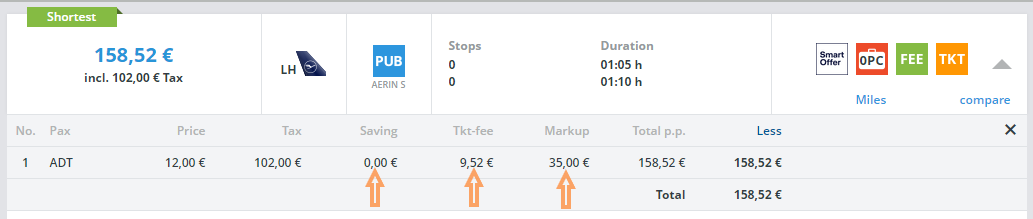
On the results page you have the possibility to adjust the markup stored in the calculation and thus determine it individually for each customer without having to change you generally established calculation each time.
In this example, 35.00 Euro are already stored for this fare.

You have the option of setting the markup to 0.00 Euro or any amount you wish. You can simply enter the amount as 50.00 or -35.00 or use the arrows to increase or decrease the amount.
The total price will be adjusted immediately after the value has been entered or the amount has been adjusted using the arrows.
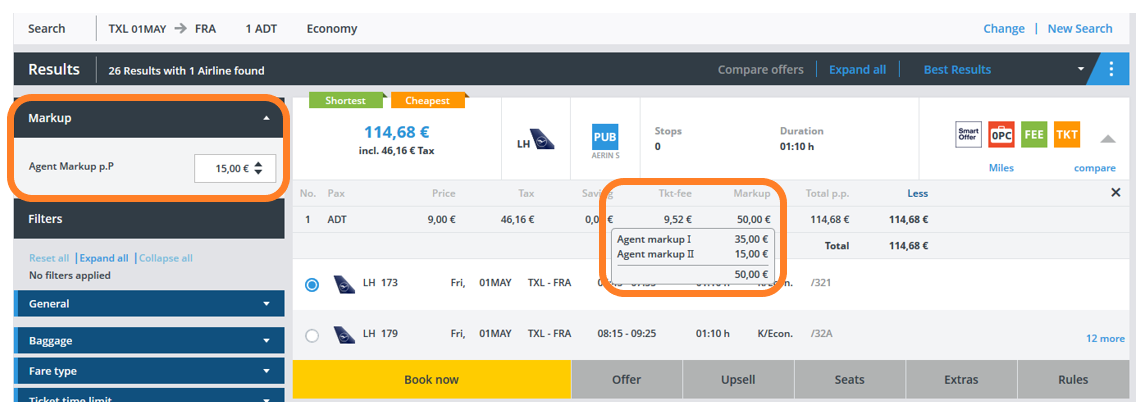
On mouseover, you can see that the default setting is 35.00 euros (Agent markup I) and that 15.00 euros (Agent markup II) have been added via the results page, meaning that a total of 50.00 euros has been set as total agent markup.
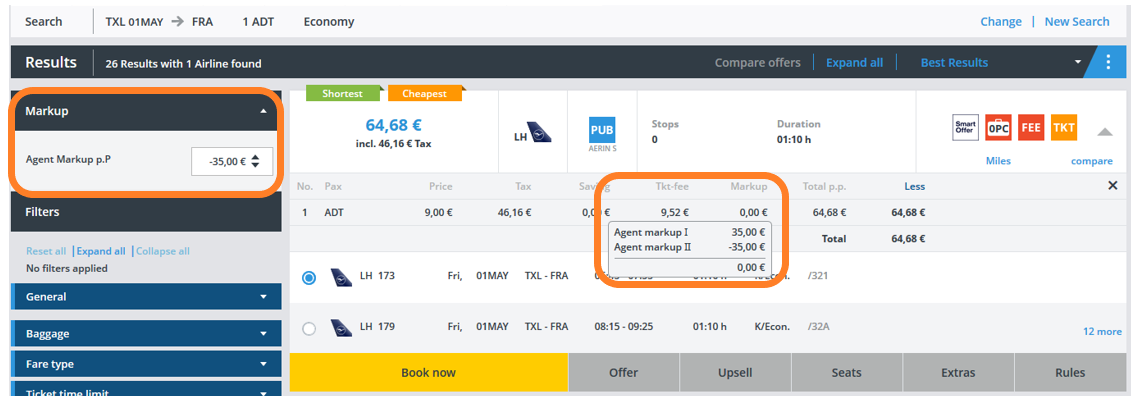
If you enter a negative amount that is too high, the system automatically adjusts the value to the maximum value.
Comparing offers
Here you have the possibility to compare up to 5 offers.
By clicking on “compare” the offer will be added to a comparison list.
The comparison list can be opened by clicking on “Compare offers” or on “compare” of a selected offer.
The comparison also considers upsell fares, if available.
To deselect an offer from the list, click on the bin icon next to “compare” or deselect it directly form the compare offer pop-up.
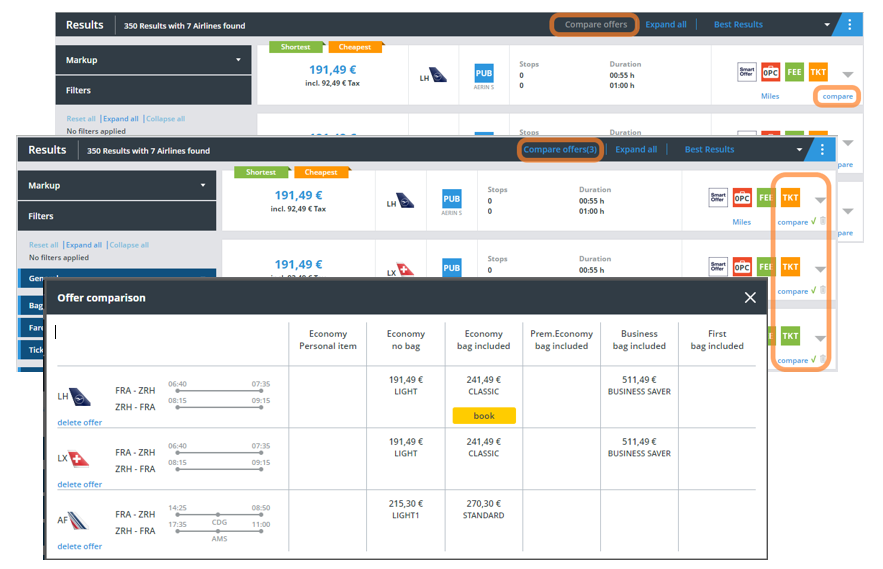
Once you have decided on a suitable offer, you can book it directly from the comparison list.
Best results

The sorting option “Best results” gives you a direct comparison between the cheapest and the shortest offer.
You may change the order of the results at any time:
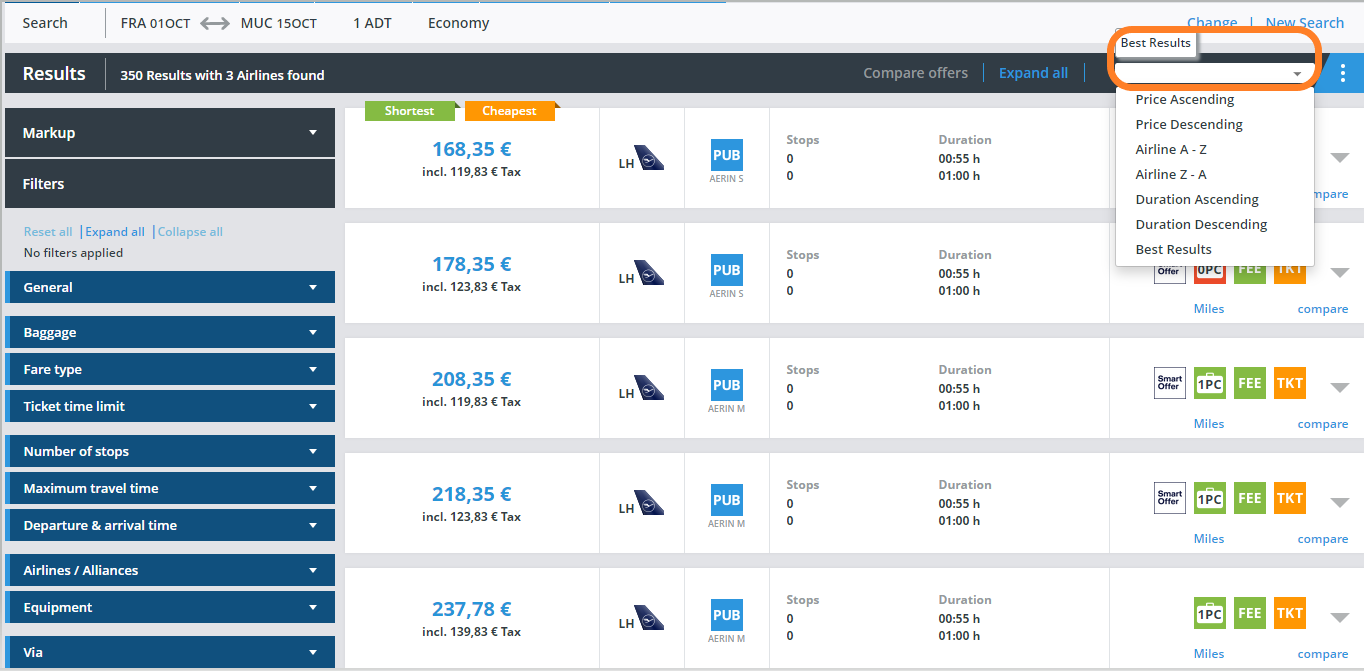
Various Dynamic Filter Options
Flight Details
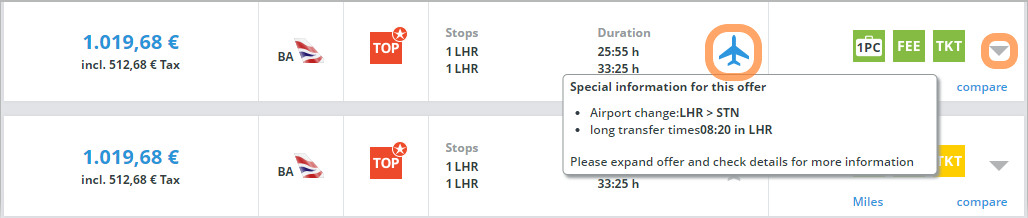
The airplane symbol indicates special information such as a long transfer time or airport change.
Click on the arrowhead to see all flight details:
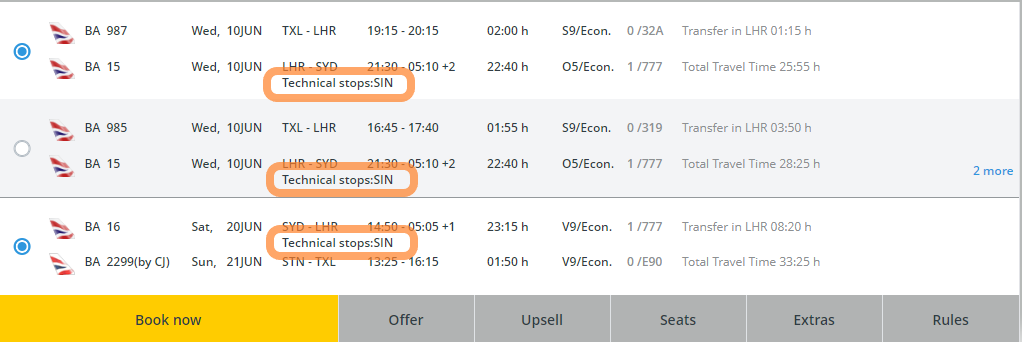
Price details
Click on "Show price breakdown" to display the exact composition of the flight price:
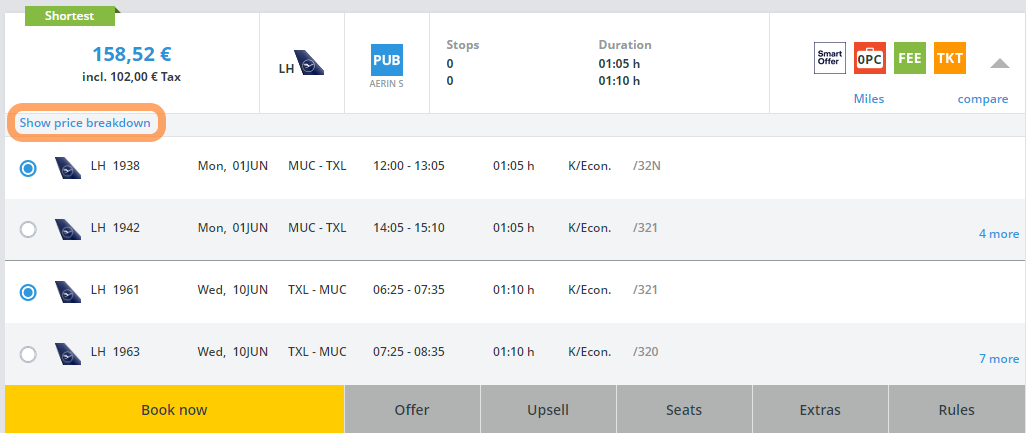
The blue framed price does not include any ticket fees, taxes or your agency markup.
The yellow framed price shows the included taxes.
The green framed total prices include all fees, taxes and markups.
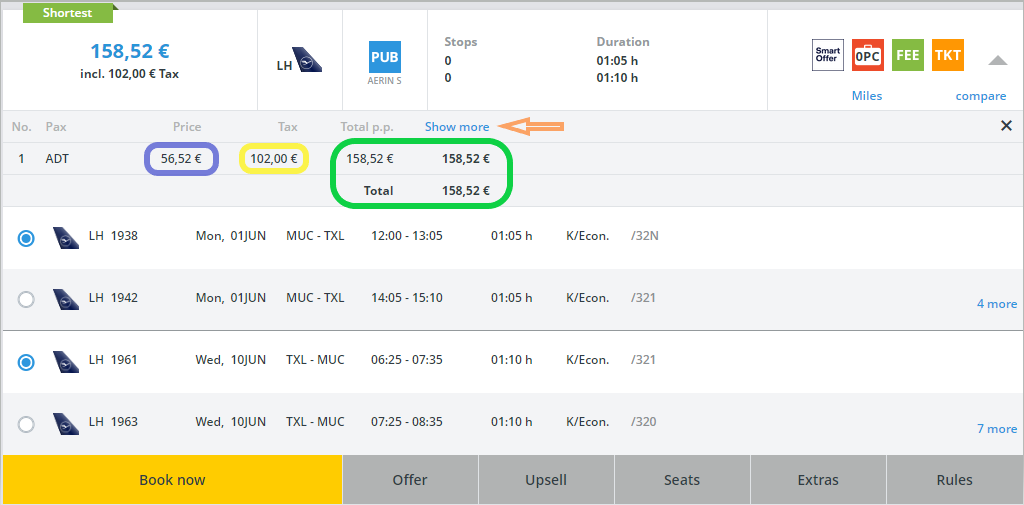
“Show more” leads you to the savings details (if any savings, our ticket fees and your agency markup).