
Payment
Payment page
On the payment page you have everything at one glance and you can select your preferred form of payment.
The choices available will depend on your agency contract, the country your agency is located and the selected fare details.
Example 1:
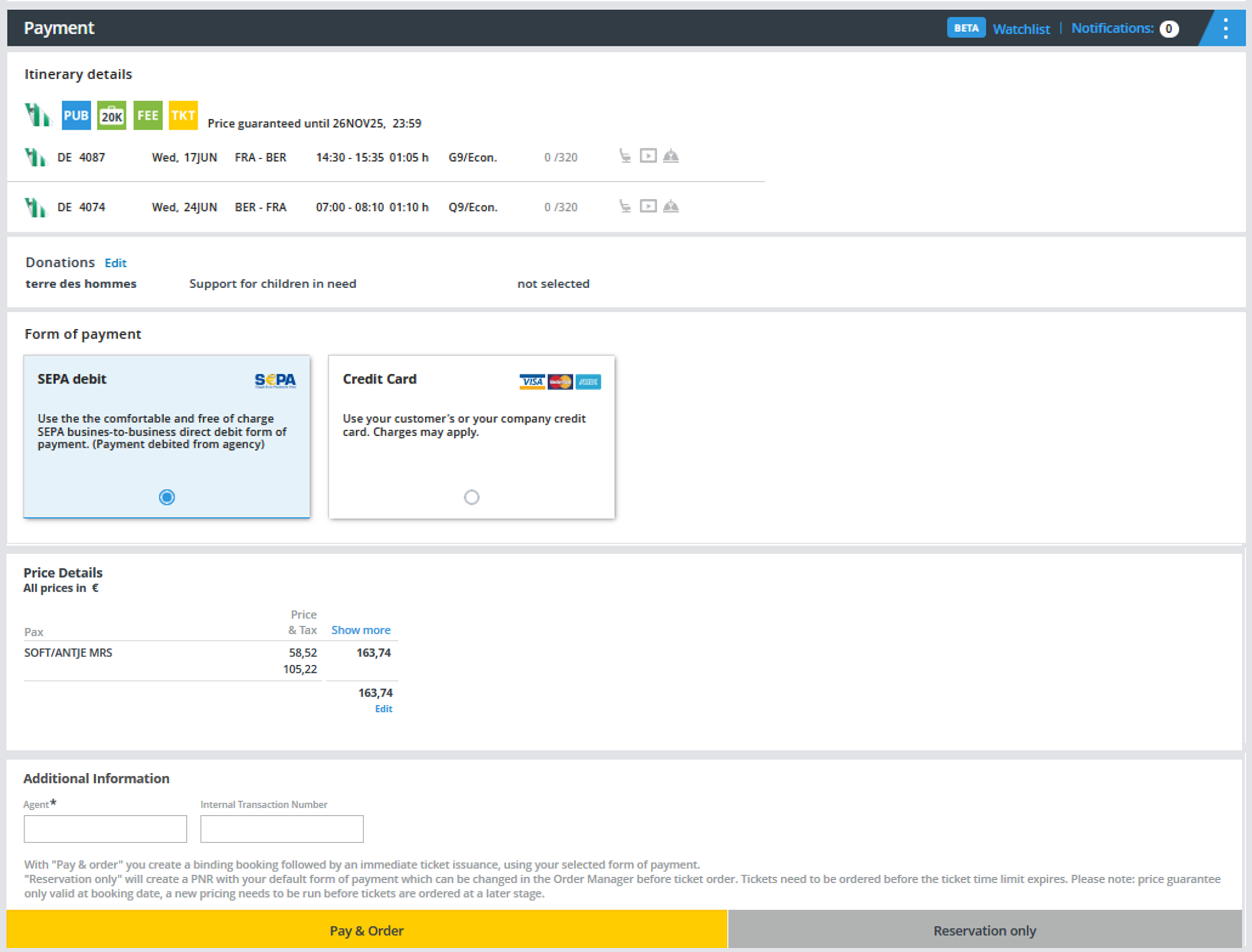
Example 2:
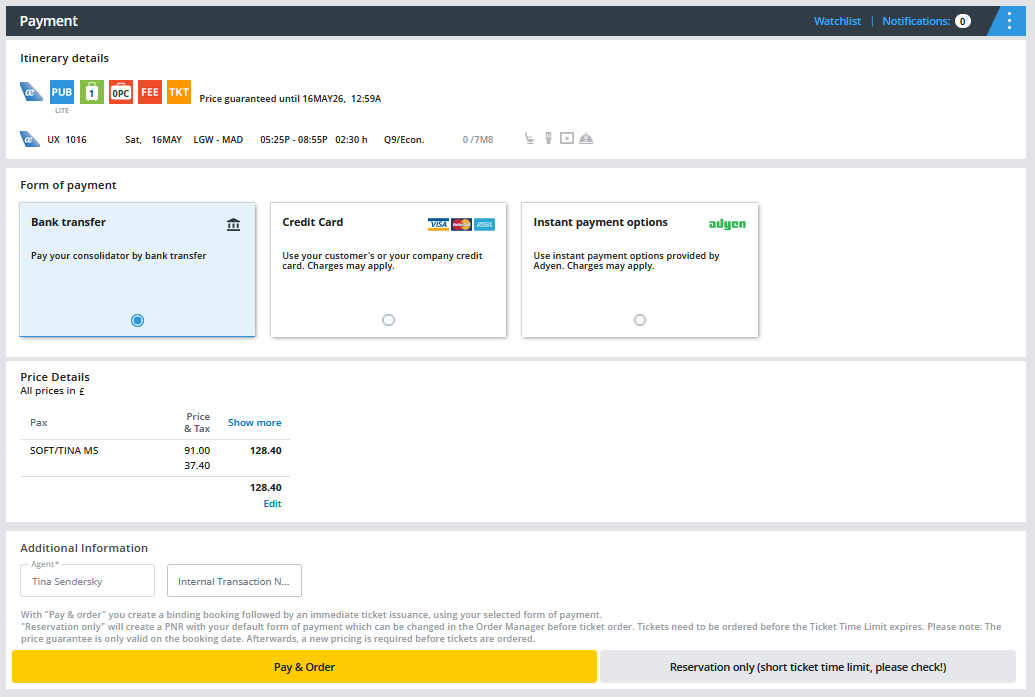
Please click on "Show more" at the price details and get a detailed overview how the price is calculated.

If you hover your mouse over TAX, you will get a detailed breakdown of the taxes charged by the airline.

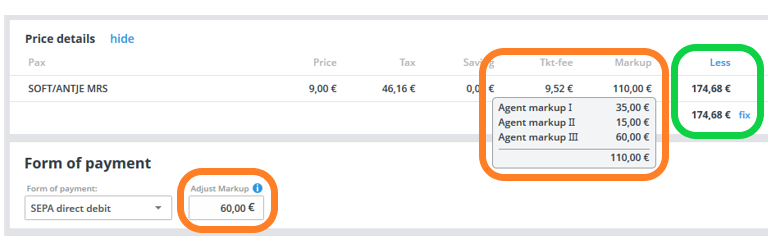
If you hover the mouse over the amount in the Markup column, the stored charge will be displayed accordingly.

Price Details
Under “Price Details” all the following payments will be listed:
- Flight Fare per person including “Zug zum Flug” (Rail & Fly).
- Tax per person (hover the mouse over the field to see the tax breakdown).
- Service fee of the consolidator per person (only shown when payment is made under CC Option 1 or 2).
- Service fee airline per person (only shown when payment is made under CC Option 2).
- Seat reservation fee per person (only shown when the seat is booked).
- Extras per person (the column is only shown when any extras are booked).
- EMD fee per person (the column is only shown when any seats or extras are booked).
- Total price per person.
- Overall total for all passengers and services.

After clicking on “Show more”, the following columns will be displayed:
- Possible Savings
- Our ticketing fees
- Possible insurances
- Possible donations
- Your agent markup

Click on “Less” to hide the savings and fee columns.
Adjust your Agent Markup
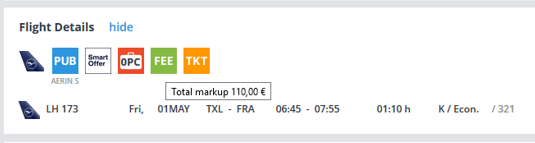
To get an overview of the current agent markup, please hover the mouse over the FEE-Icon under “Flight Details”.
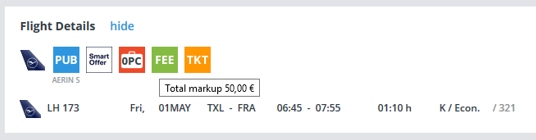
Via the input field "Adjust Markup" you have the possibility to adjust the markup once again and if necessary to set the amount to zero or increase it. If you only make a reservation, you can of course also adjust the agency fee again under My Bookings.
After ticket order an adjustment is no longer possible.
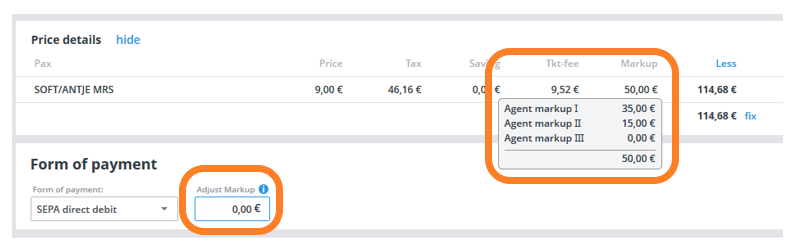
After editing the agent markup the total amount will update accordingly:
The updated total markup will also appear when hovering over the FEE icon:
Note: If the new total payment cannot be divided by the number of passengers, the system will automatically perform a correction.
Another posibility is to edit the total amount and the markup amount will update accordingly:
