
Filter options
Various Dynamic Filter Options
You can choose from a variety of filter options that can be combined in any combination.
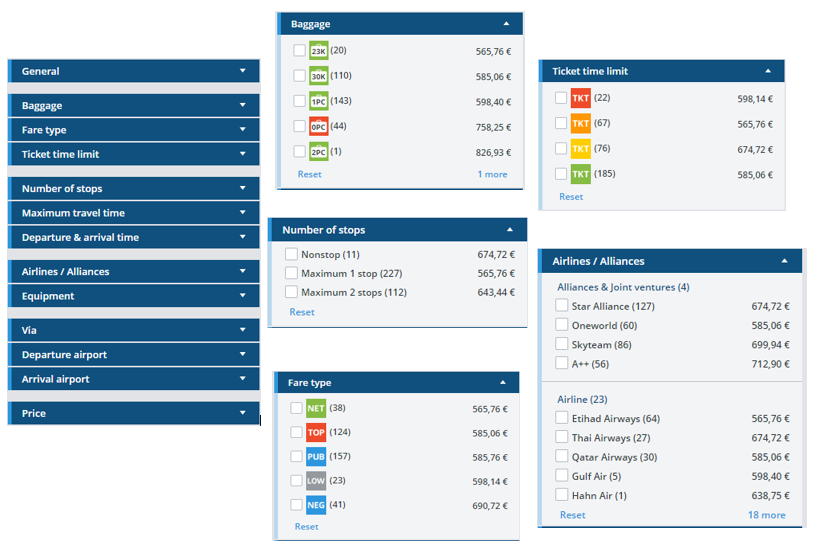
Filter „Departure and arrival time“

In order to find flight options within a specific time frame, you can either enter the time in the search mask or leave the time field open and set the appropriate filters afterwards in the results list.
In the first case, options with departure or return flights +/- 1 hour are searched for; in the second case, you have further options for setting the departure or arrival times more precisely.
To do this, you can either use the slider or overwrite the times directly in the respective fields.
In the filter, you can set both a Departure time and an Arrival time for each leg.
If a flight option may arrive (or depart) on different days, you can also select the day from a drop-down (for example, “Sunday” or “Monday”).
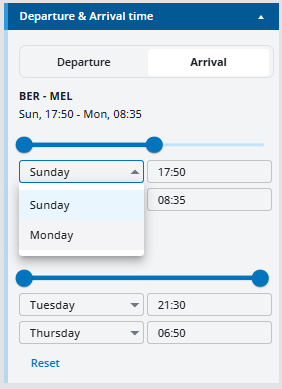
As always, all times are local times.