
Void
This is how it works
You can void your bookings directly in the Order Manager.
Issued tickets will be automatically canceled for a contractually agreed fee, provided that the void period has not yet expired.
Please note: The void period depends on where the ticket was issued. For international fares, the period may therefore expire on the same day.
If voiding is possible, we show you a timer so you can always determine how much time is left to void the ticket.
Here you can check the remaining void period and perform the void action:
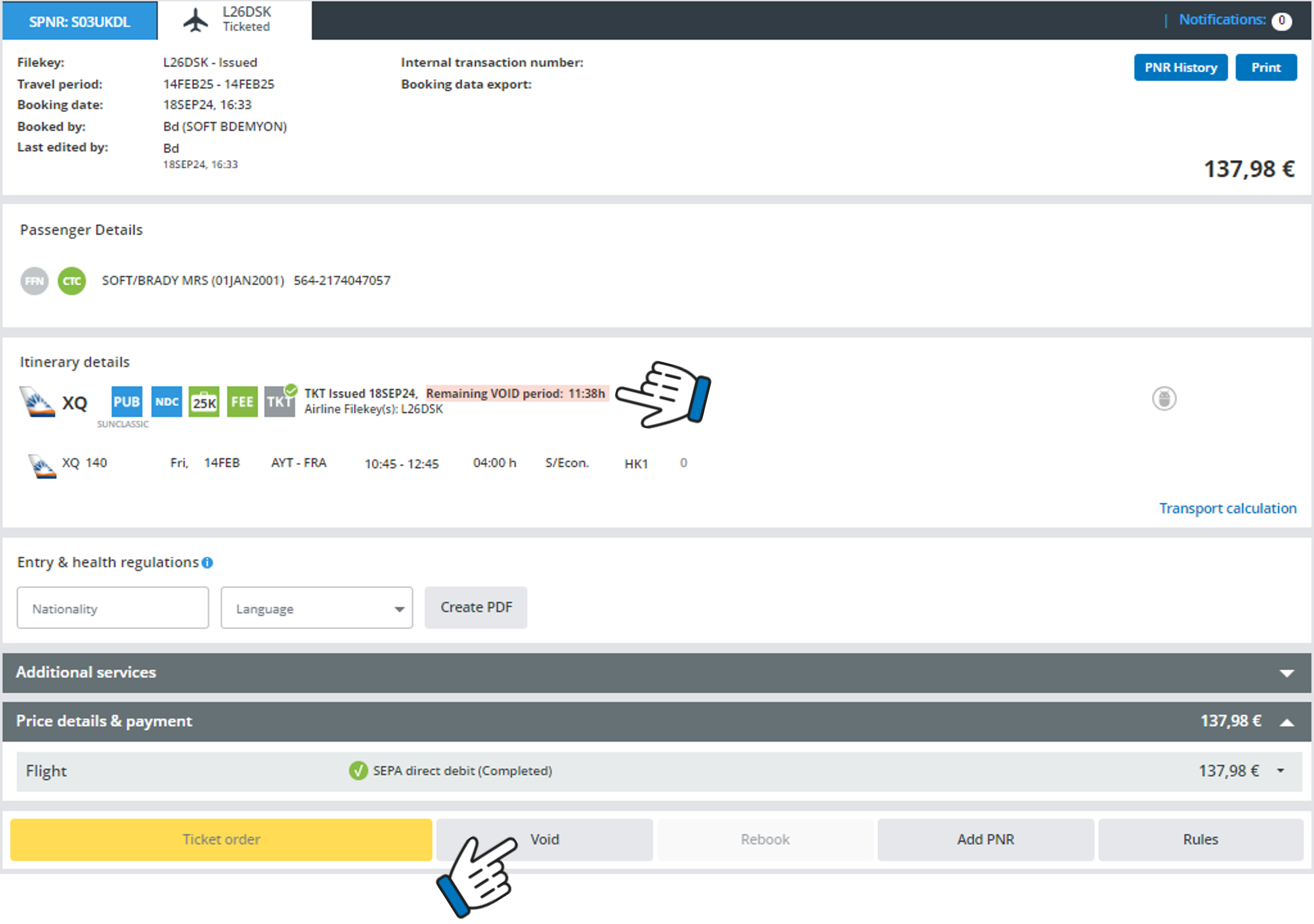
During the void period, instead of the "Cancel" button, we show a "Void" button. After this period, the button will automatically switch to "Cancel".
After clicking on the Void button the following pop-up window will open:
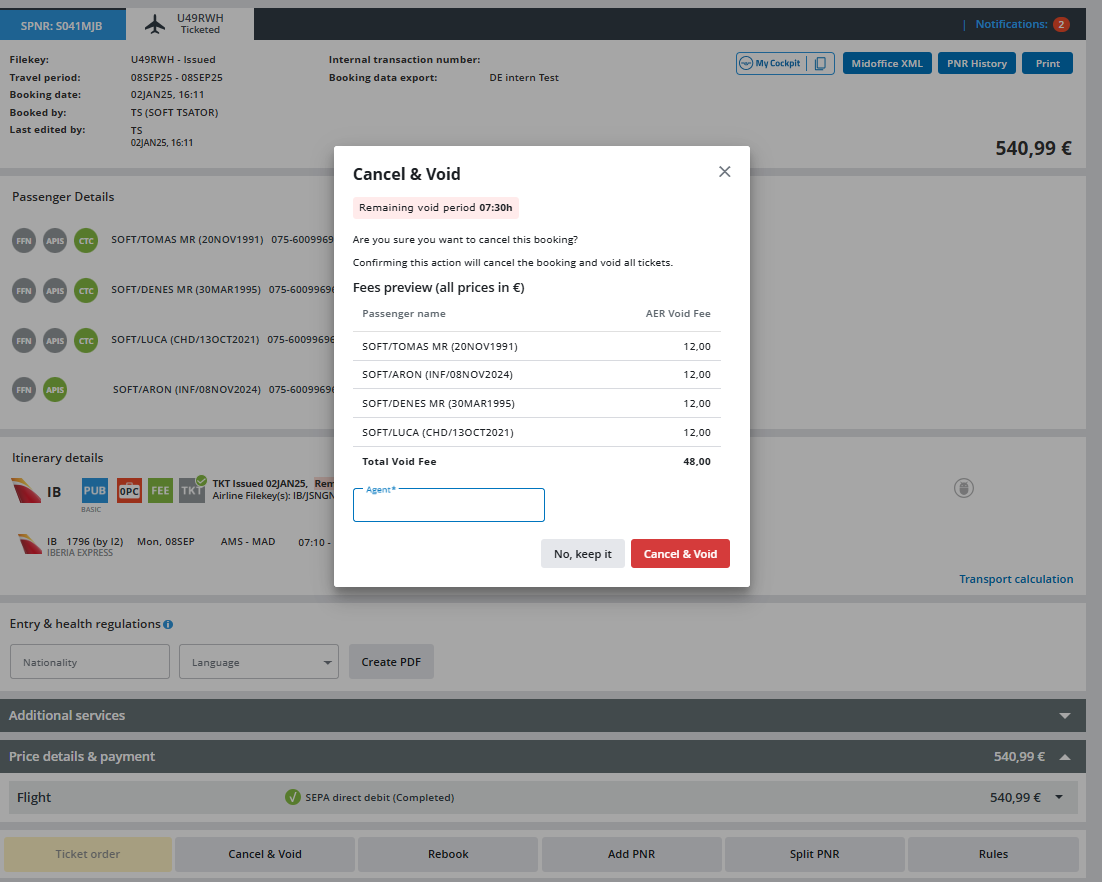
Just confirm by clicking on "Cancel & Void" and the booking will be voided free of charge.