
Voiden (Zurücknahme eines Tickets am selben Tag)
So wird's gemacht
Sie können Ihre Buchungen direkt in der Buchungsverwaltung voiden.
Ausgestellte Tickets werden automatisch gegen eine vertraglich vereinbarte Gebühr storniert, sofern die VOID-Frist noch nicht abgelaufen ist.
Bitte beachten Sie: Der VOID-Zeitraum hängt davon ab, wo das Ticket ausgestellt wurde. Bei internationalen Tarifen kann die Frist daher bereits am selben Tag ablaufen.
Wenn eine Stornierung möglich ist, zeigen wir Ihnen einen Timer an, damit Sie jederzeit sehen können, wie viel Zeit Ihnen noch für ein Voiden des Tickets bleibt.
Hier können Sie die verbleibende VOID-Frist abrufen und die Stornierung vornehmen:
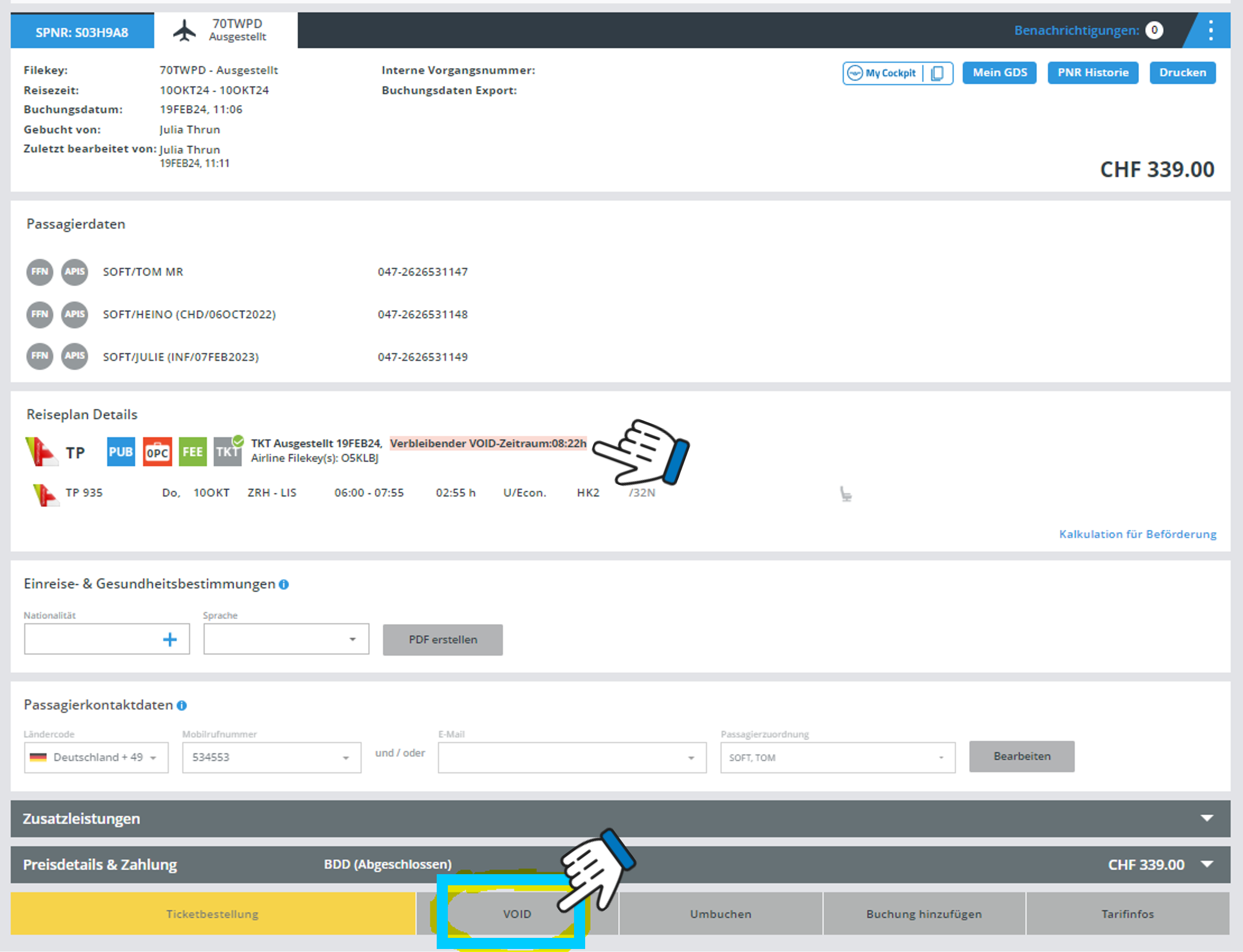
Während des VOID-Zeitraums wird anstelle der Schaltfläche „Stornieren“ die Schaltfläche „VOID“ angezeigt. Nach Ablauf dieser Frist wechselt die Schaltfläche automatisch zu „Stornieren“.
Nach dem Klicken auf die Schaltfläche „VOID“ öffnet sich das folgende Popup-Fenster:
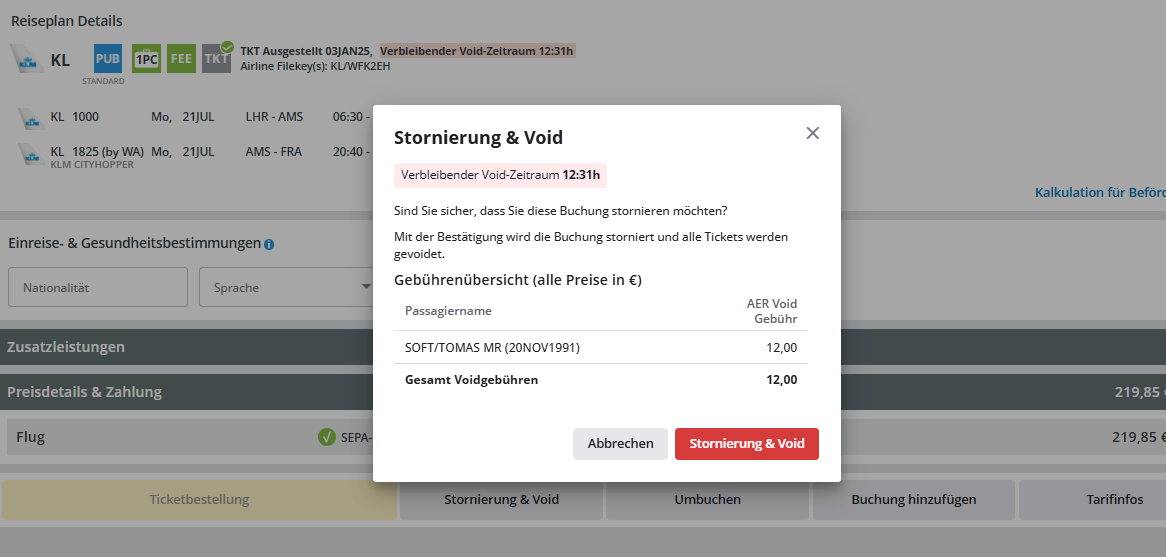
Bestätigen Sie nun einfach mit Klick auf die Schaltfläche „Stornierung & Void“ und die Buchung wird kostenlos storniert.