Rebooking
In many cases rebooking is possible directly in the Order Manager under "My Bookings", in other cases you will be redirected to our rebooking form.
How to proceed
Retrieve the PNR in the Cockpit Order Manager ("My Bookings"):
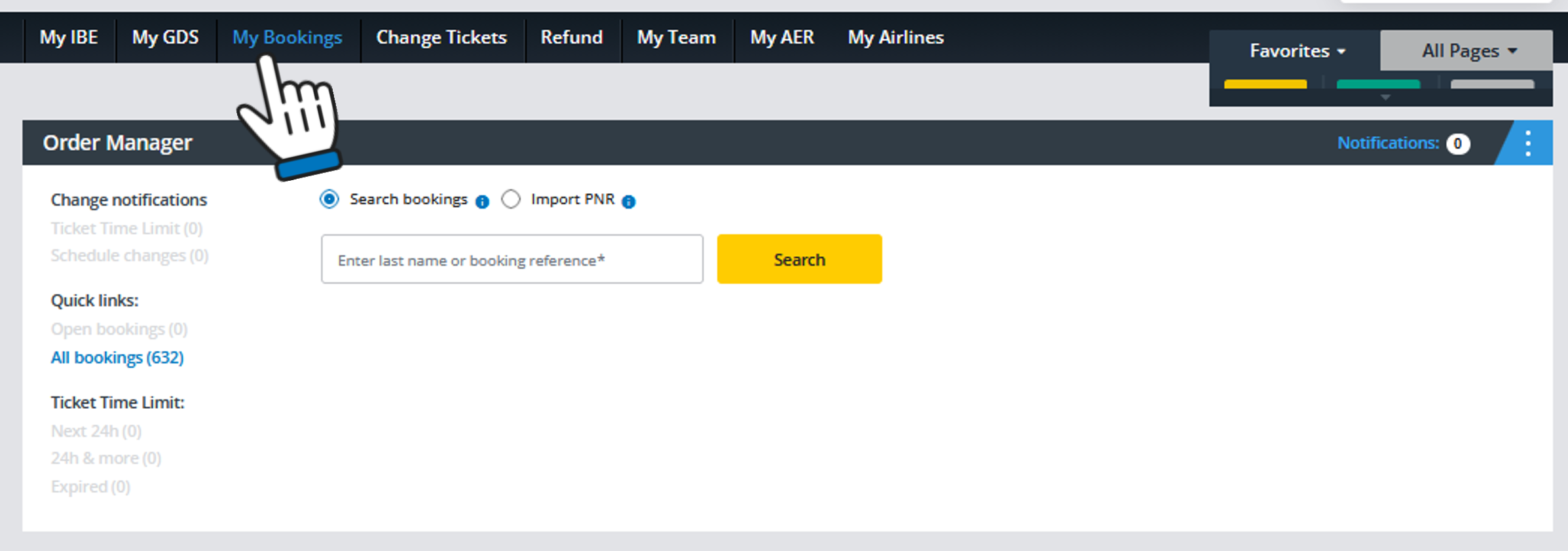
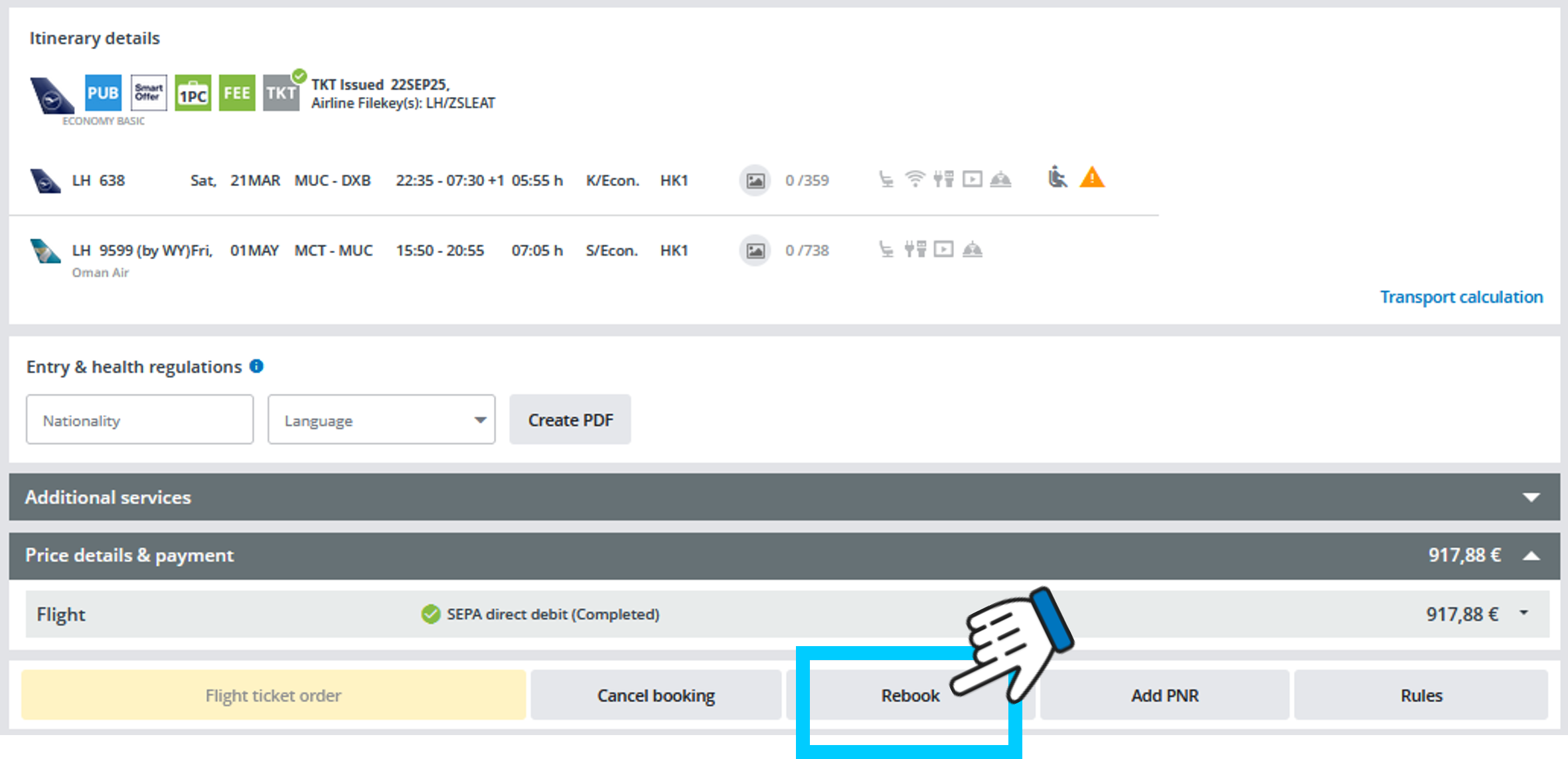
Open the booking you want to exchange. If rebooking is possible, the "Rebook" button will be active. So just click on it to get to the next step.
In case automated rebooking is not supported you will be redirected to our rebooking form, in order to request it through our service team.
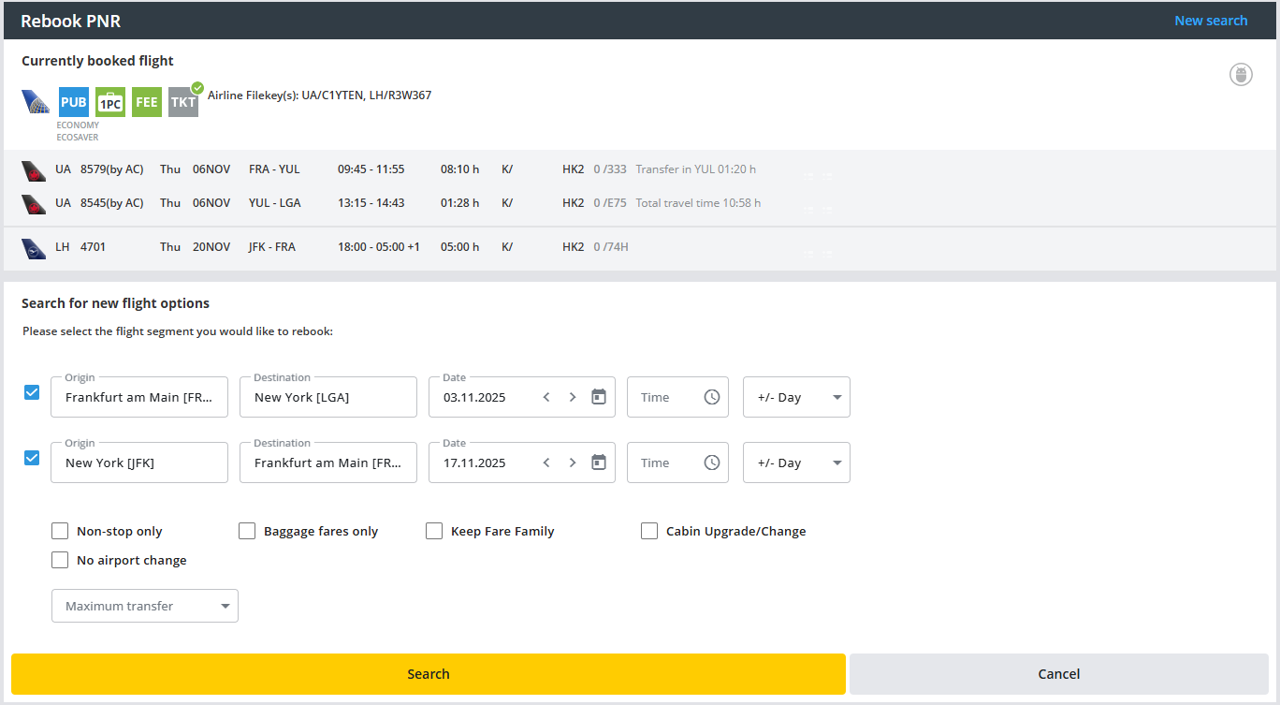
However, if automated rebooking is available, just select the flight segments to be rebooked and change the origin, destination or travel date (or all). Optionally choose a departure time and date flexibility if posible and/or select one of the filters to restrict the search and click on “Search”:
Select an offer from the list. You may display the price calculation by expanding the "Price Details". Only additional amounts to be paid are shown:
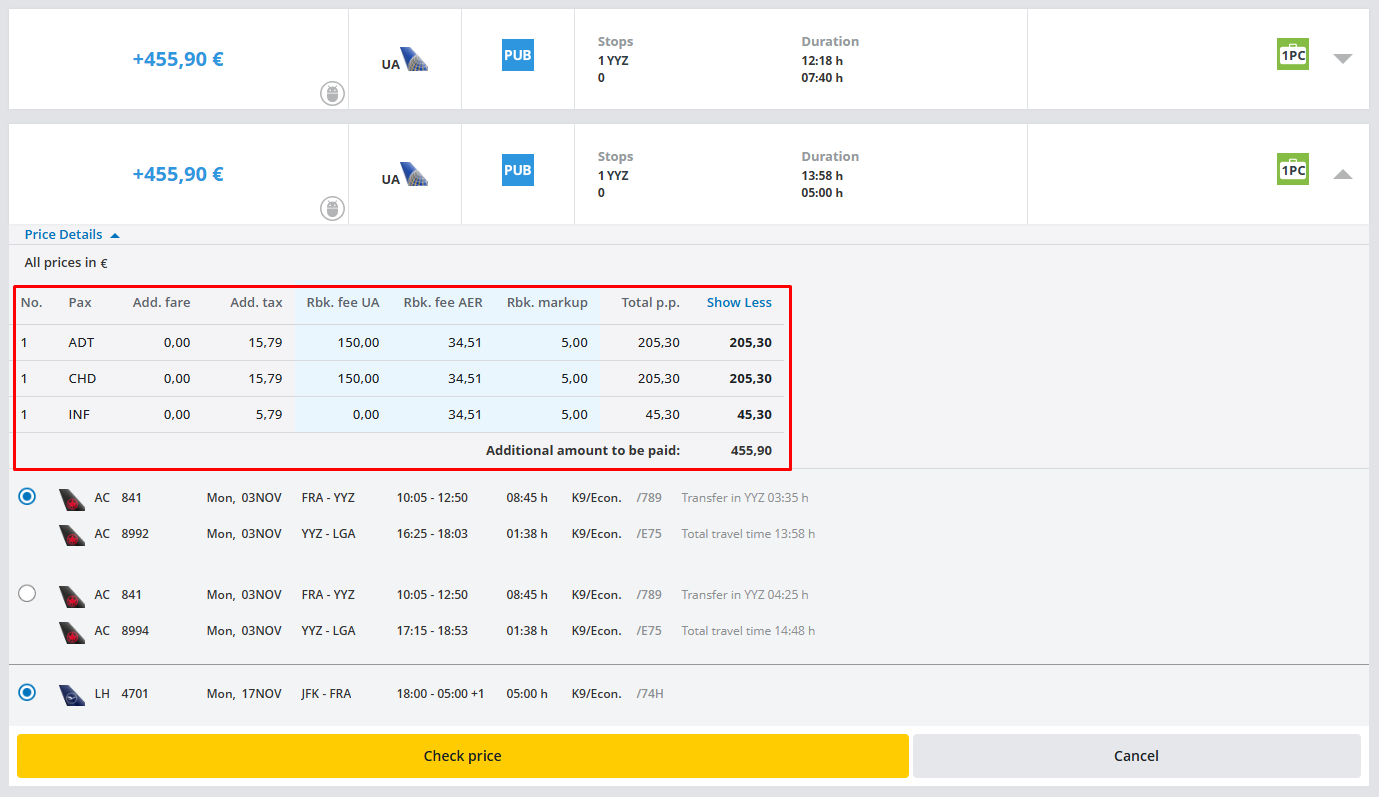
Please keep in mind that the shown values need to be verified and are not guaranteed until the next step. After you click on "Check price" you will get to the final guaranteed amount:
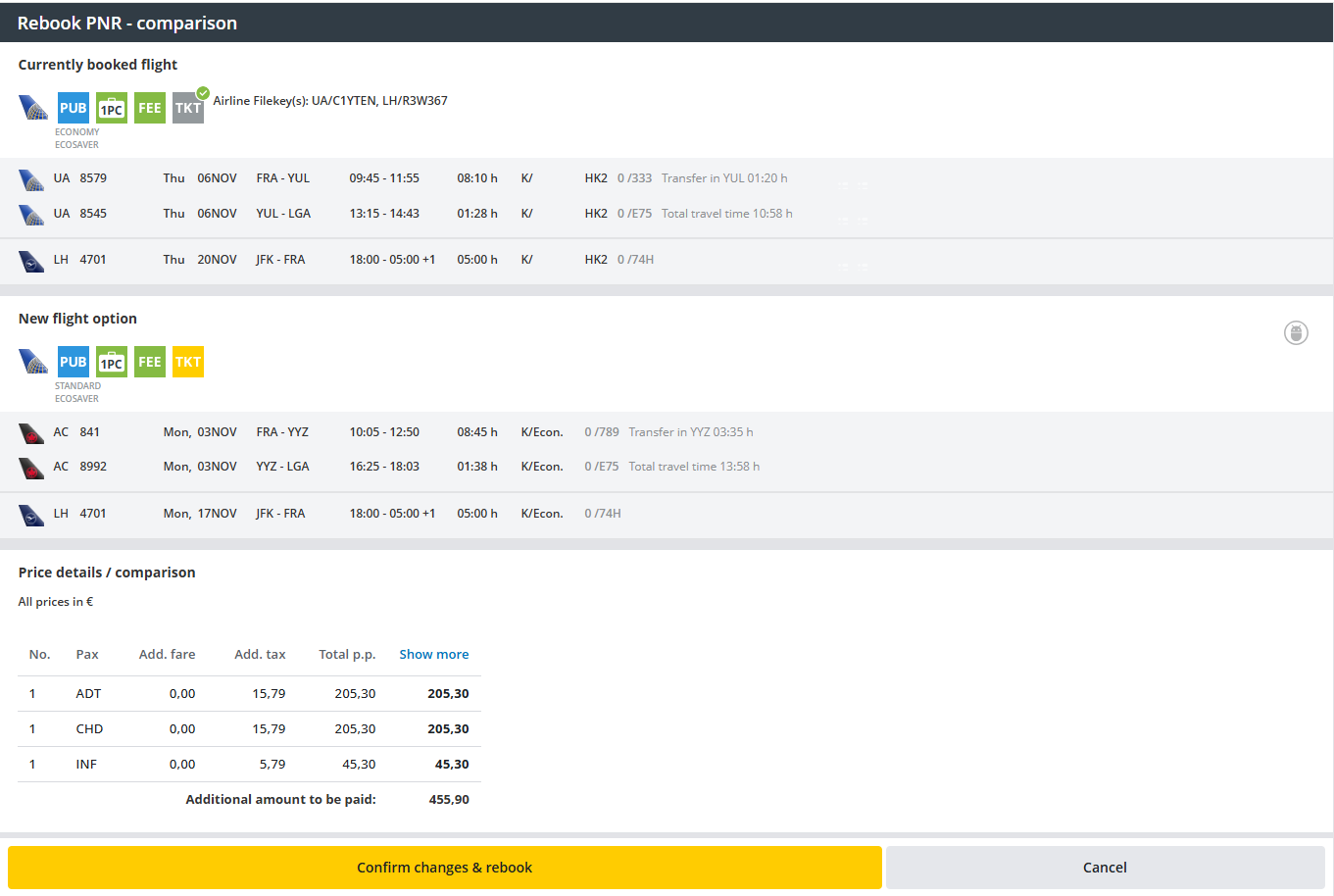
By clicking on "Confirm changes & rebook" the ticket will be exchanged.
The rebooking process will be confirmed by this popup:
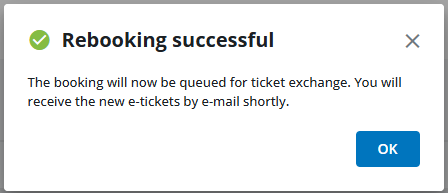
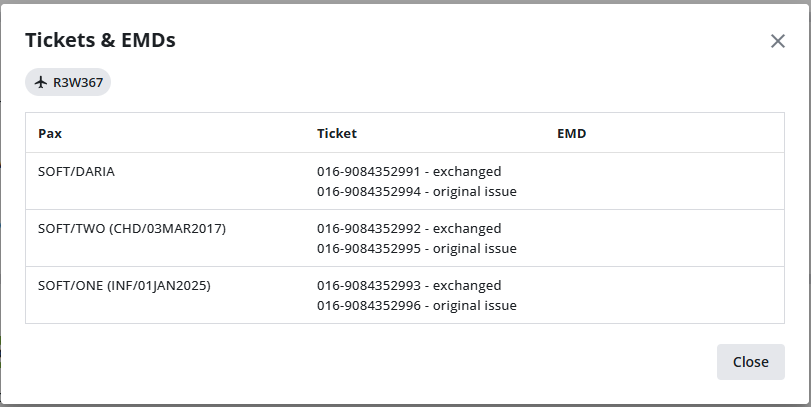
After the ticket has been exchanged successfully you may click on the "exchanged" icon:

A popup window will show the old and the new ticket numbers:
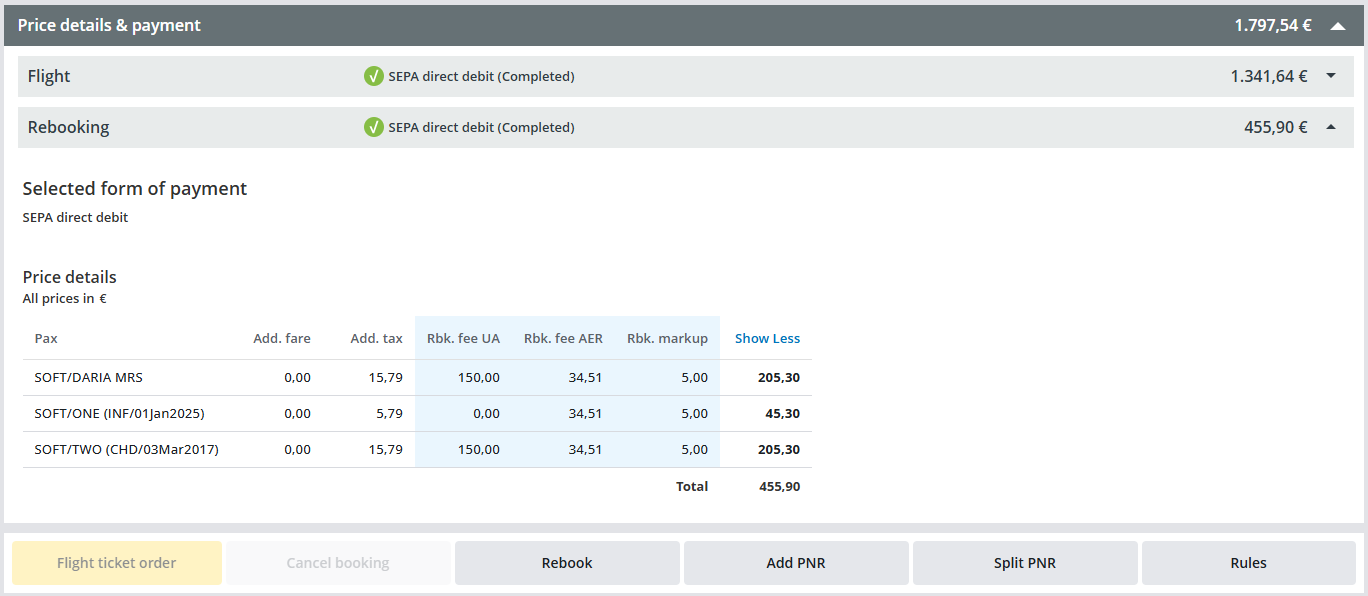
In the Prices details & payments section, a new price accordion with the rebooking amounts will be added: