Agent Markup
General
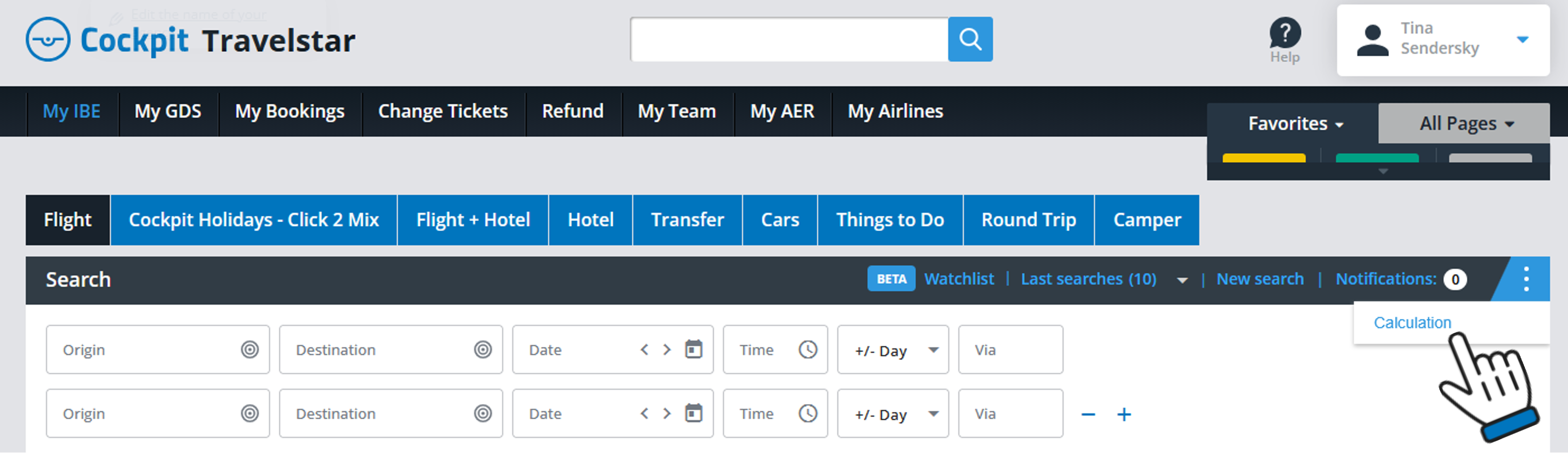
You can access the “Calculation” submenu via the three dots on the right.
Here you can set and adjust your standard agency markup on flights, seats & extras and rebookings.
All fares and prices will be displayed including your markup, so you can share the screen with your customer.
The default setting is a EUR 30.00 flat fee on all air fares.
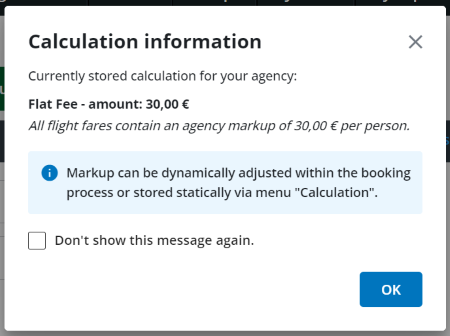
You can change your set markups anytime.
Calculation methods for markups on flights
After clicking on the sub-menu “Calculation“, the following section will appear allowing you to configure your preferred type of markup calculation on flights.
1. No Calculation:
All flights in the result list are displayed without any agency markup.
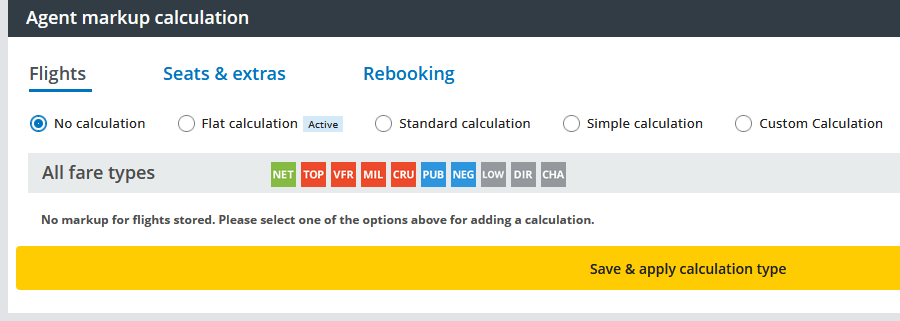
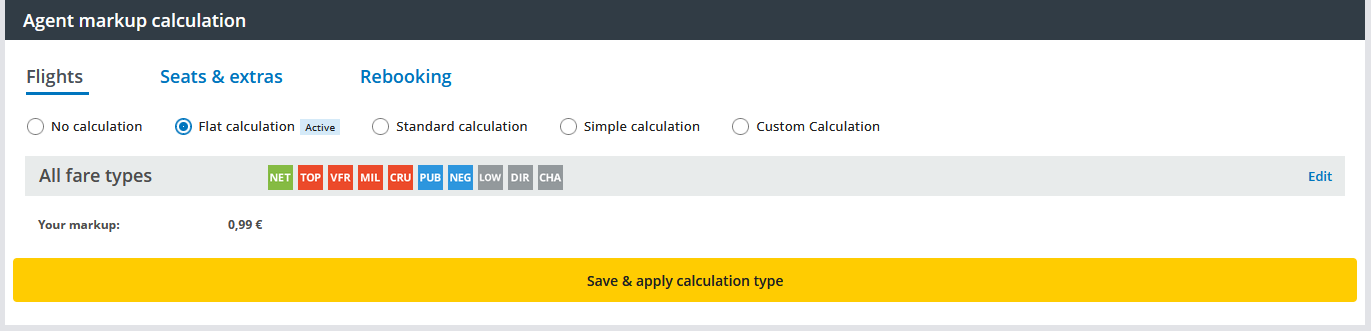
2. Flat calculation:
You can adjust the default setting of EUR 30.00.
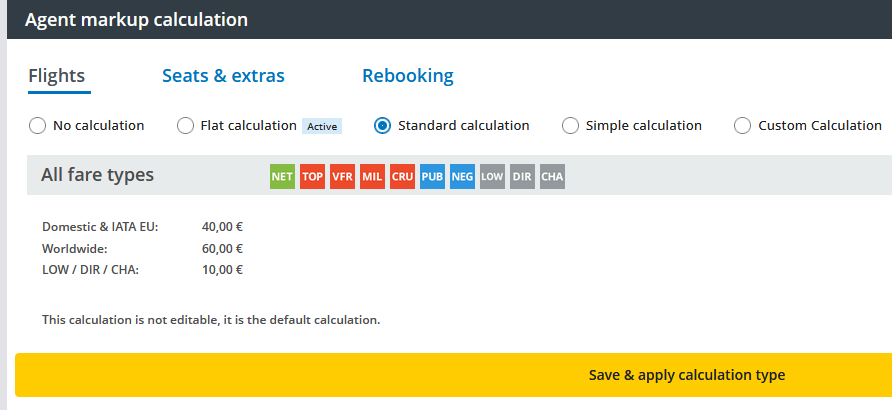
3. Standard calculation:
This calculation is not editable. The following amounts will be applied:
Domestic and IATA Europe EUR 40, - / Worldwide EUR 60,-.
Exception: Low Cost, Charter, direct connect per ticket EUR 10,-
If you want to set other amounts please choose another calculation type.
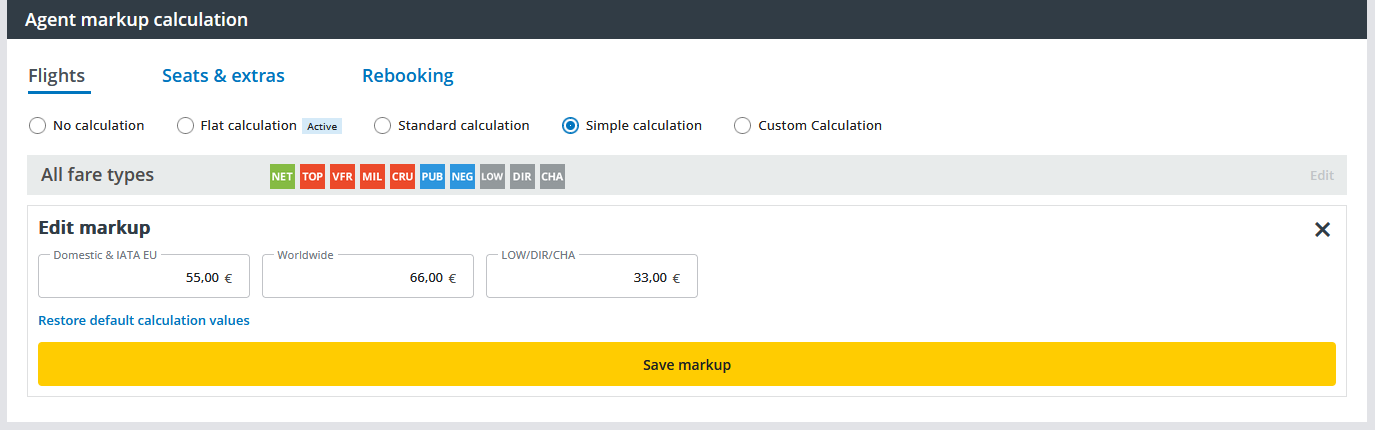
4. Simple calculation:
You can adjust the amounts for Domestic and IATA Europe, Worldwide and Low Cost, Charter and Direct individually.
5. Custom calculation:
Comprehensive rules for sophisticated and detailed markup calculation. (Please see chapter "Custom Calculation")
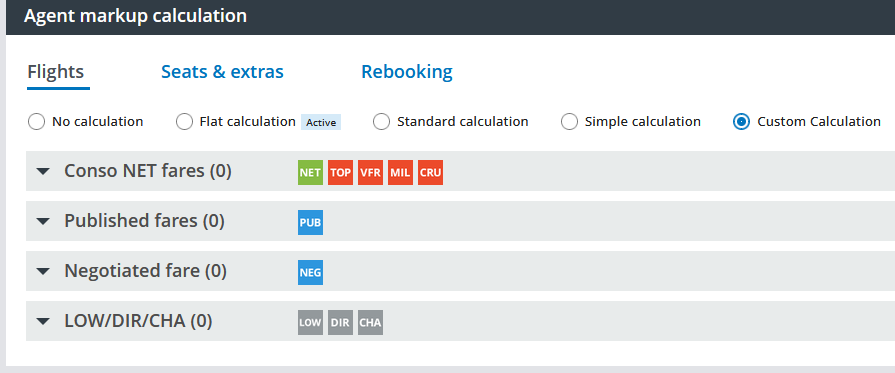
Custom Calculation
You can configure your custom markup calculation on flights by clicking on the + symbol on the right side and setting different rules for each fare type. Just edit the amounts and save the rules.
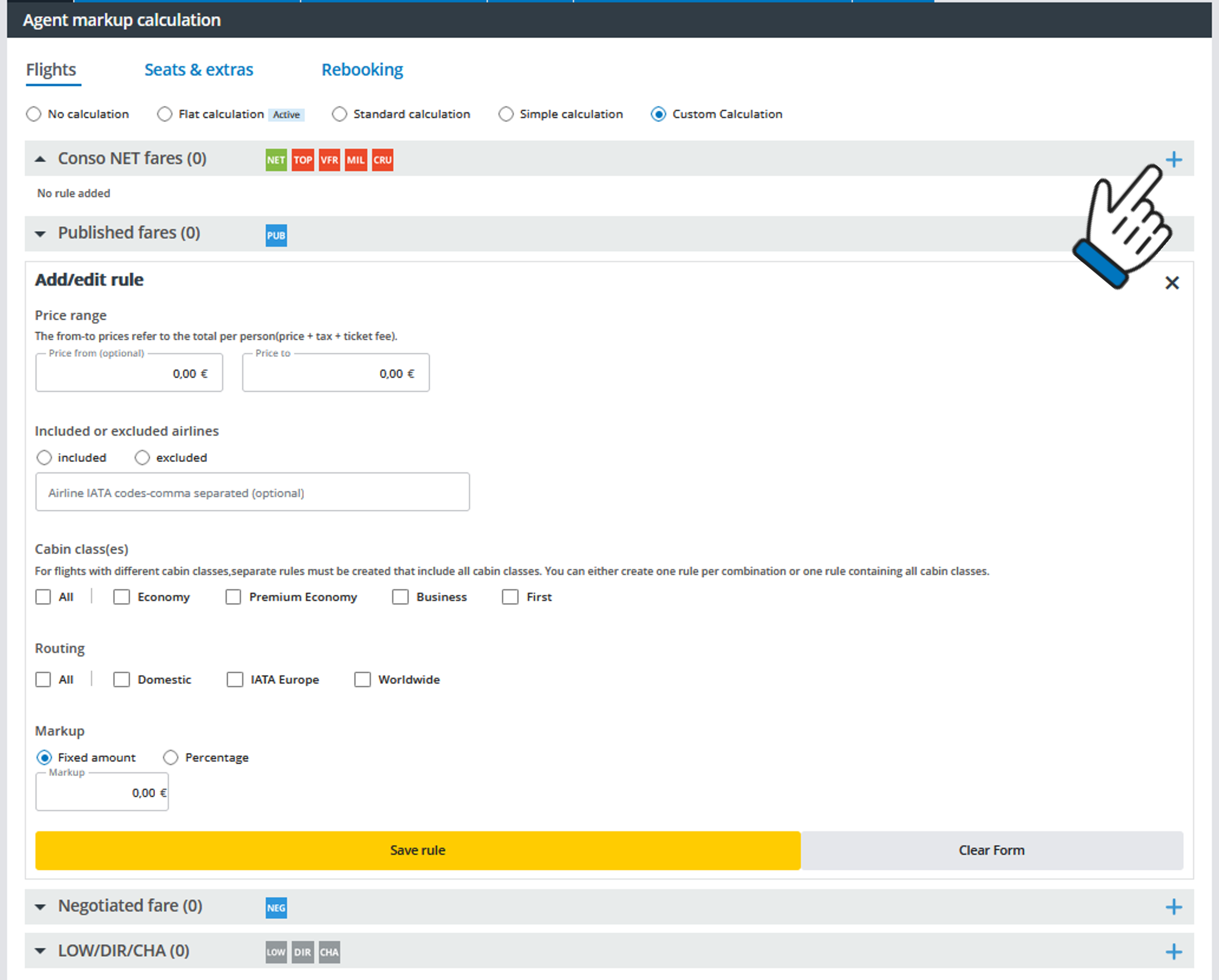
You have the possibility either to select all cabin classes / routings by one click or to store different calculations based on the cabin class or the routing.
Agent markups on Seats & Extras
By clicking on Seats & extras you can set your calculation for chargeable and non-chargeable seats and extras (e.g. additional baggage, special meals etc.).
You can change the markup at any time and save it again.
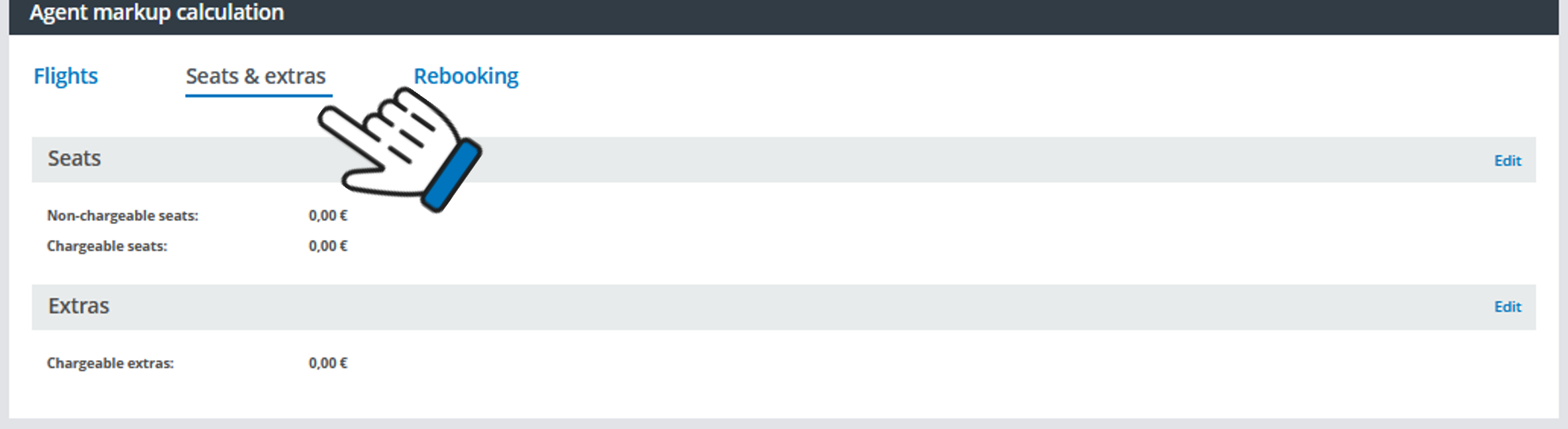
Please note:
Calculation will be applied on pricing unit:
- for seats per seat and flight segment
- for extras per extra and segment group (example: for baggage the outbound journey consisting of 2 flight segments is treated as 1 segment group)
Possible values to enter:
- negative values are not accepted
- the upper threshold is 100 EUR/USD or the equivalent in other currencies
Please mind, that it might take up to 5 minutes until stored values are reflected
- users with the role ‘Admin’ can see and edit the calculation
- users with the role ‘Agent’ can see but not edit the calculation
- users with the role ‘Subagent’ can neither see nor edit the calculation
Agent markup for rebookings
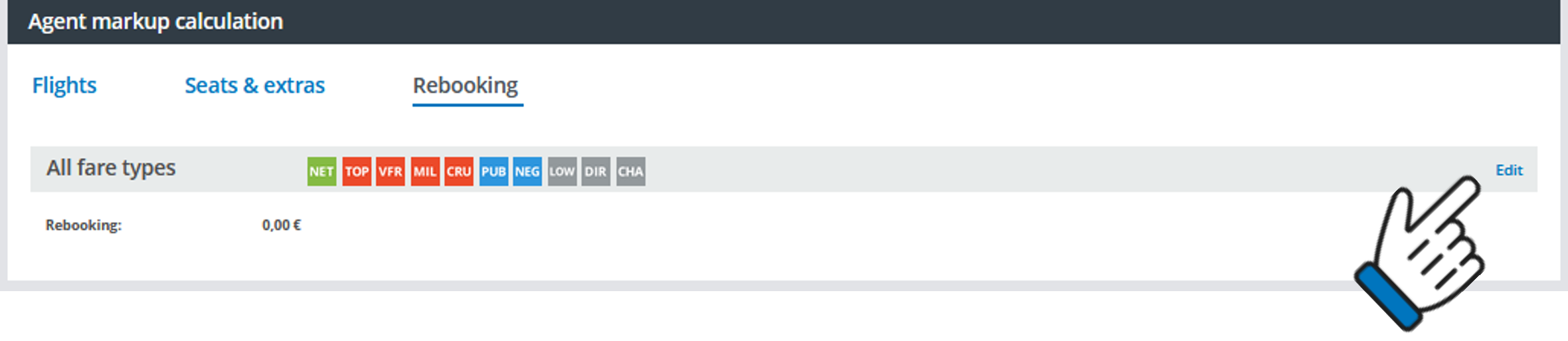
You can also configure your standard agent markup for rebookings by clicking on edit under the Rebooking section.