Create an offer
General
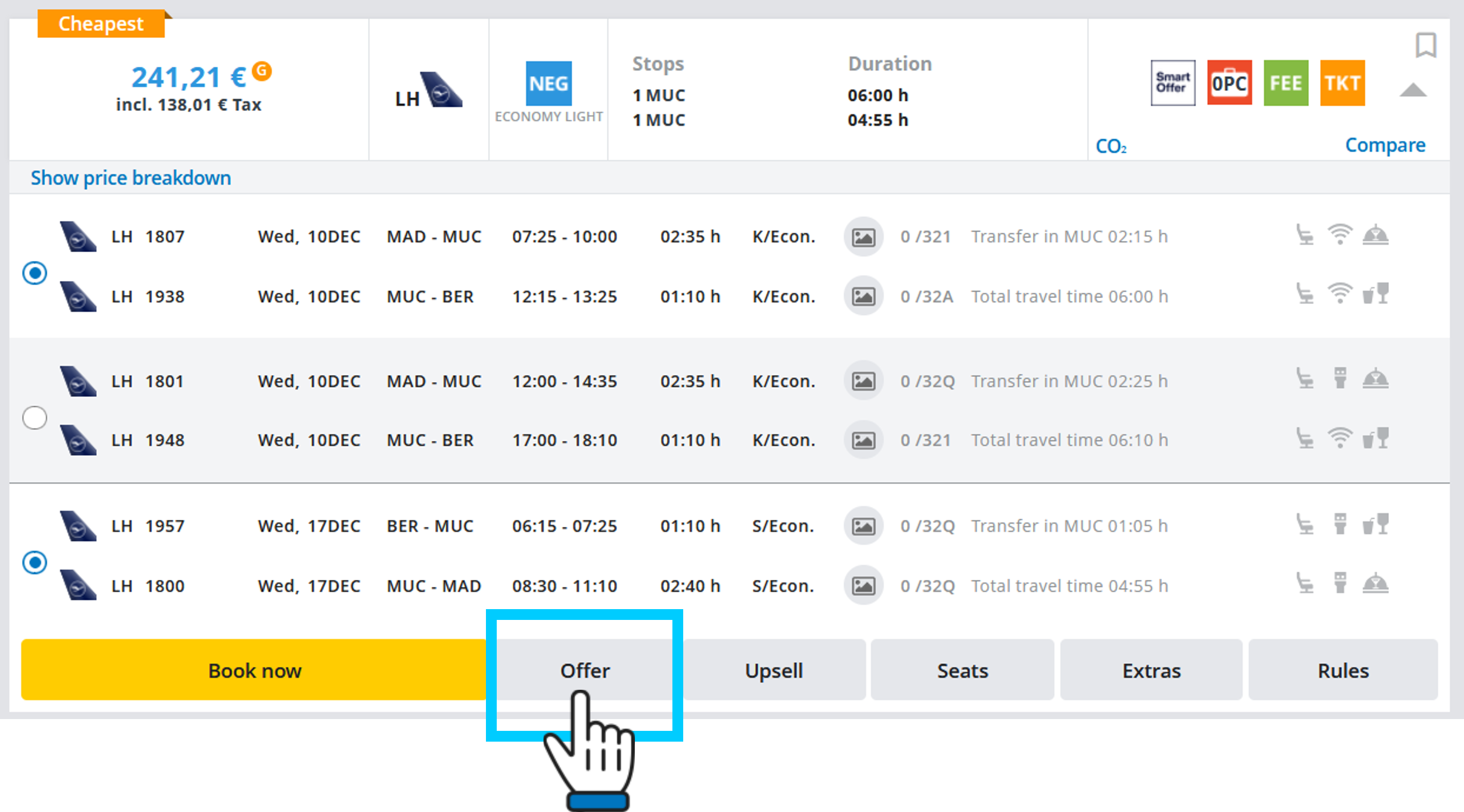
Just click on the ‘Offer’ button:
then this popup window will open:
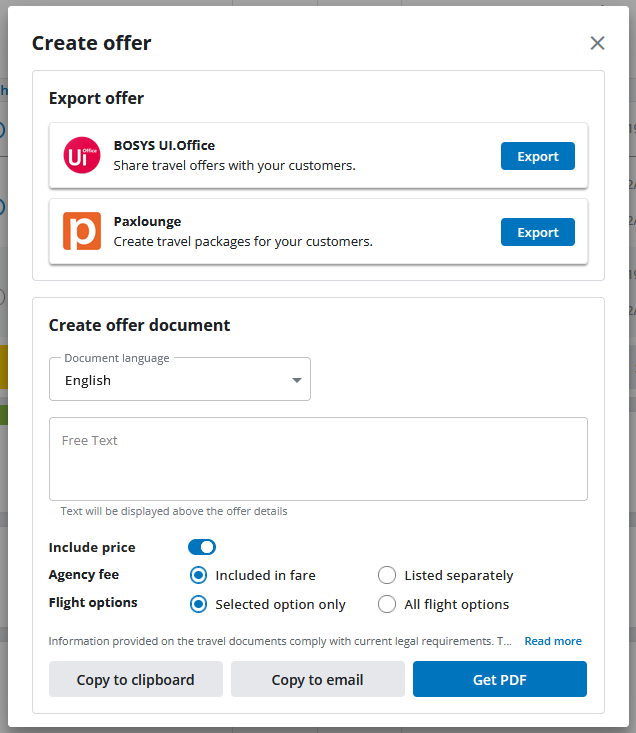
By clicking on “Export” you can now transfer the offer e.g. to PaxLounge or Bosys UI.Office.
Get PDF file
Another option is to automatically generate a PDF document with the offer.
The following languages are available:
German, English, French, Italian, Dutch, Polish, Russian, Spanish, Czech and Turkish.
You can additionally customise your offer by choosing from the various options above.
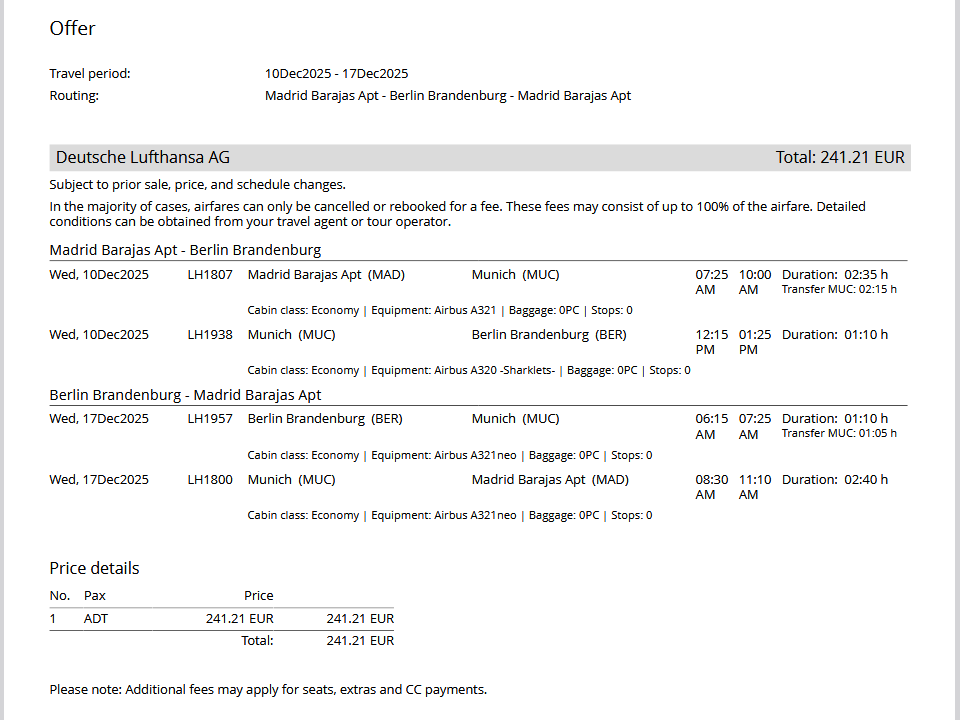
After clicking on ‘Get PDF’, the offer document will open in a new browser window:
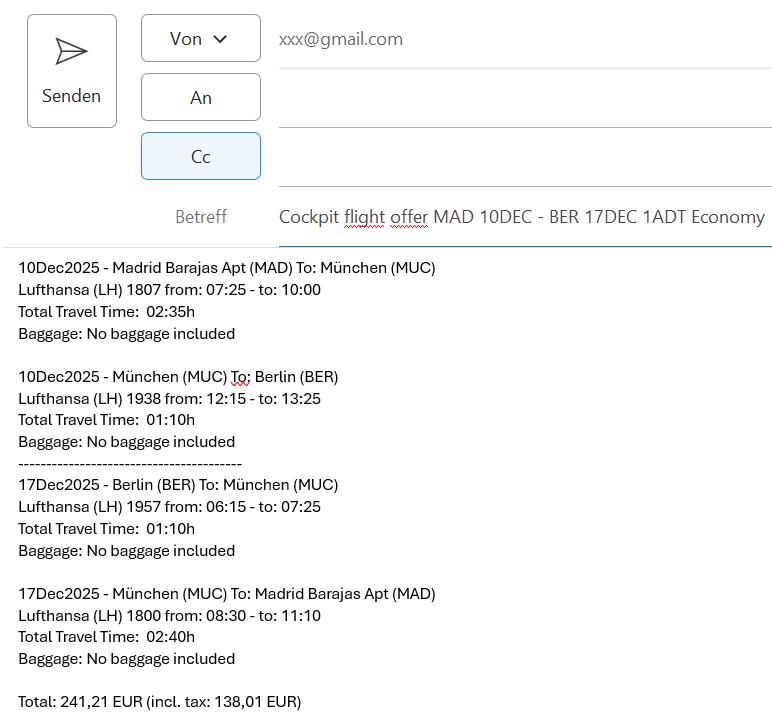
Copy and send immediately or copy to clipboard
Alternatively you can send an offer to your customers by email by clicking on ‘Copy to email’.
Or you can first copy the offer to the clipboard and copy it from there to your email programme or e.g. a Word document, and then format or edit it yourself before sending it to your customers.