Passenger Details
General
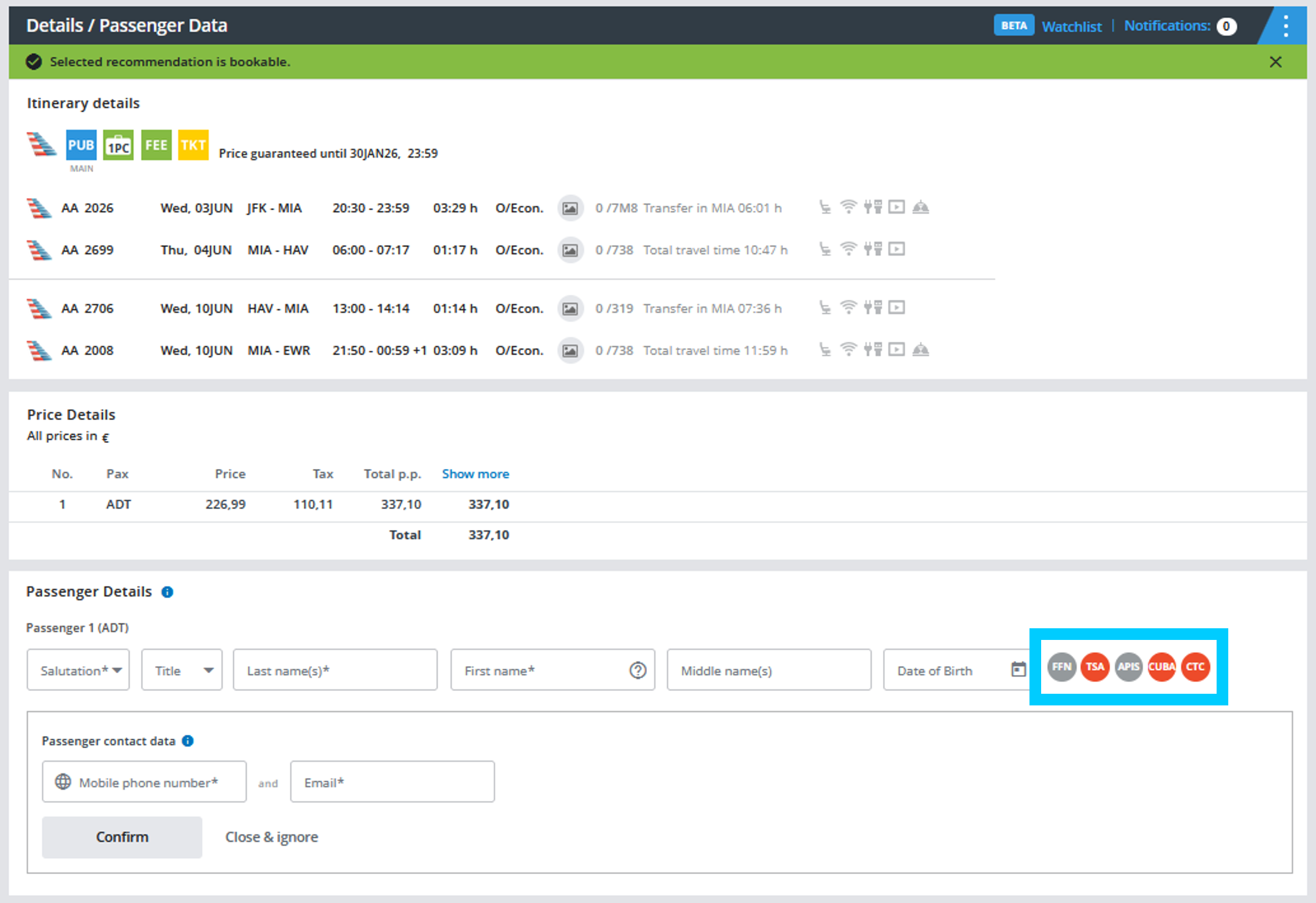
Frequent Flyer Numbers (FFN), TSA- and APIS data may be added during the booking process as well as to an existing reservation. Clicking on the corresponding icon will open further input fields. You also have the option of entering the Redress or Known Traveller Number.
Note: the CUBA-icon only appears for journeys between the USA and Cuba. In compliance with US-law, the purpose of the trip must be entered before finishing the booking.
Passenger Details
Our system will remind you in case TSA-data is mandatory for ticketing. In this case the TSA icon will be highlighted in red in the passenger details section. By clicking on the icon, additional entry fields with pre-populated information will appear. Please complete missing information and click on “Confirm”.
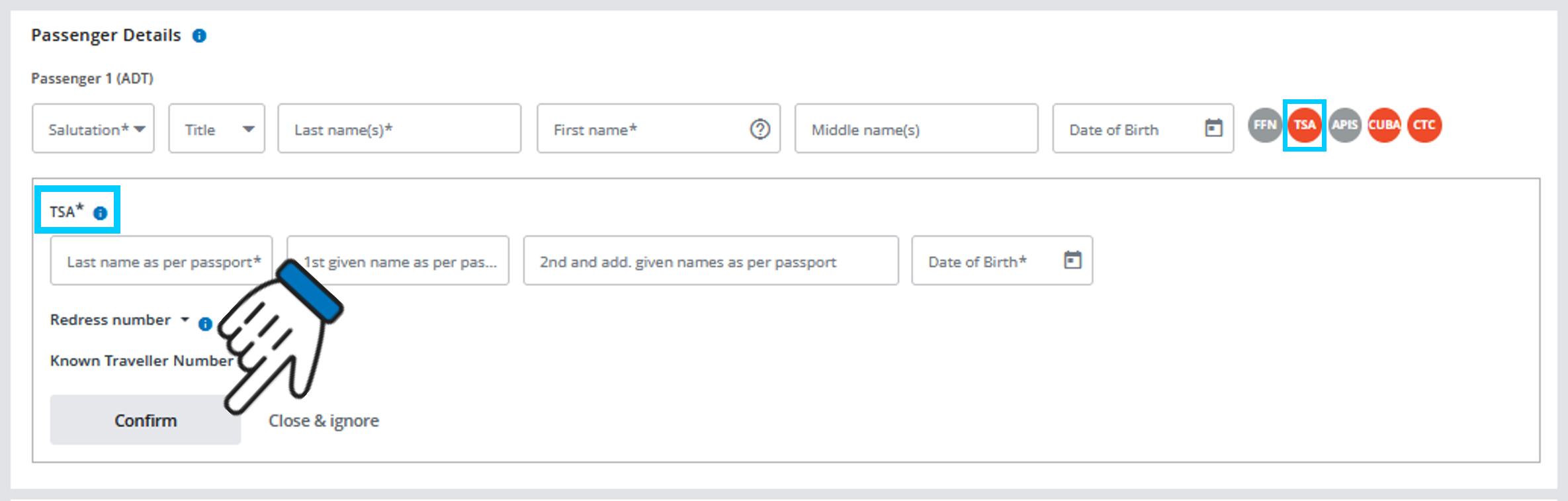
The TSA icon will then change to green:

Note: TSA data is not mandatory for booking, but must be provided when ordering tickets. It can also be entered in the PNR later under “My bookings.”
Redress and Known Traveller Number
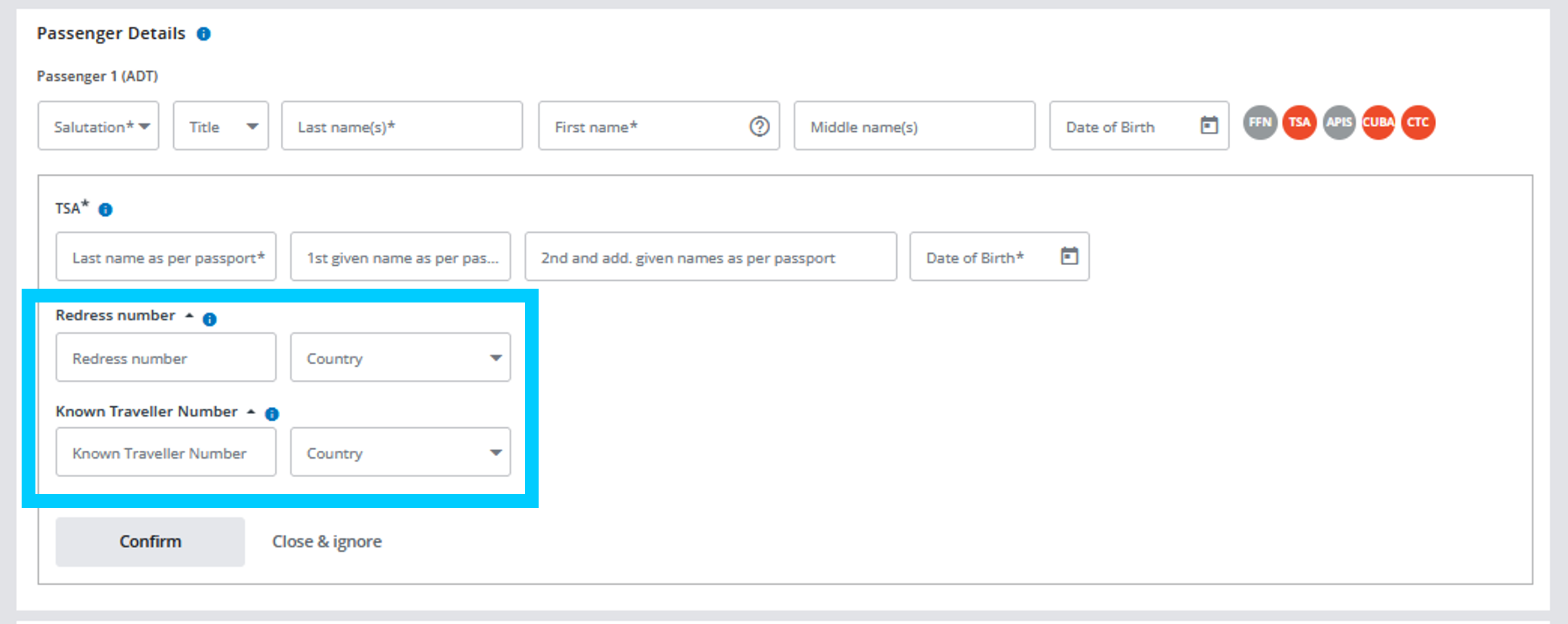
You can store the redress or known traveler number in the IBE.
The Redress Number is a 7-digit number provided by the Department of Homeland Security under there Traveler Redress Inquiry Program (TRIP). If a traveler already has a redress number e.g. due to watch list issues, screening problems at ports of entry or any other difficulties, it can be provided here.
The Known Traveller Number (KTN) is a 9-digit number, which can be found on the back of passenger’s NEXUS, SENTRI or Global Entry card. If a known traveller number was entered in the booking and printed in the barcode on passenger’s boarding pass, it will allow him/her to use TSA PreCheck.
Passenger Contact Data
The contact data of the passengers will have to be stored as a mandatory element in the respective booking. IATA Resolution 830d declares the existence of such an information mandate for each PNR created from 1 June 2019.
You can enter, edit and save the data on the passenger data page and in the Order Manager “My Bookings”.
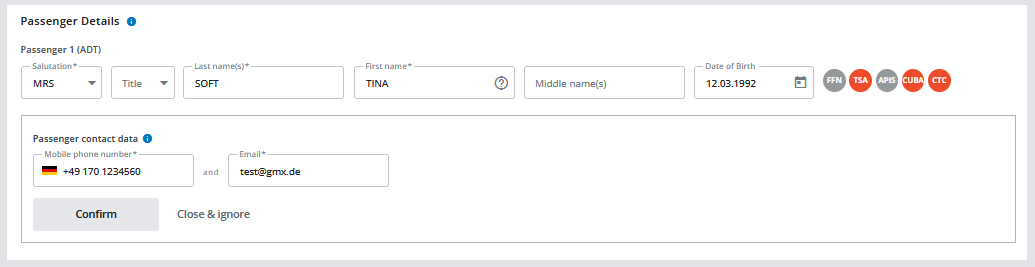
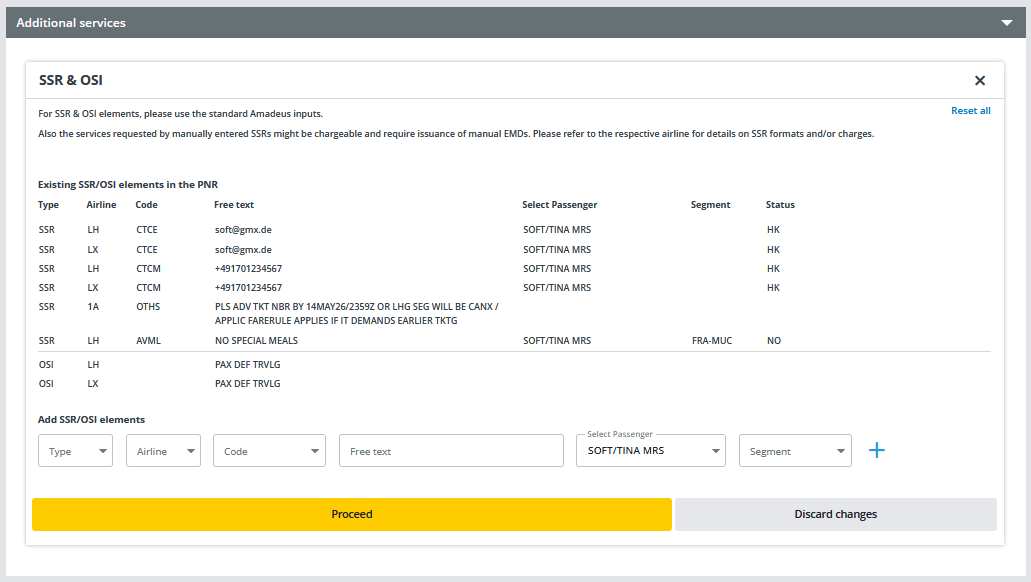
The mandatory elements are entered in the booked GDS as SSR and the corresponding code.
These codes look as follows and can be viewed under "My Bookings" in the "Additional services" section:
- CTCM - mobile number / telephone number
- CTCE - email address