Split PNR
This is how it works
You can split PNRs in Cockpit no matter if it´s a reservation only or a ticketed booking.
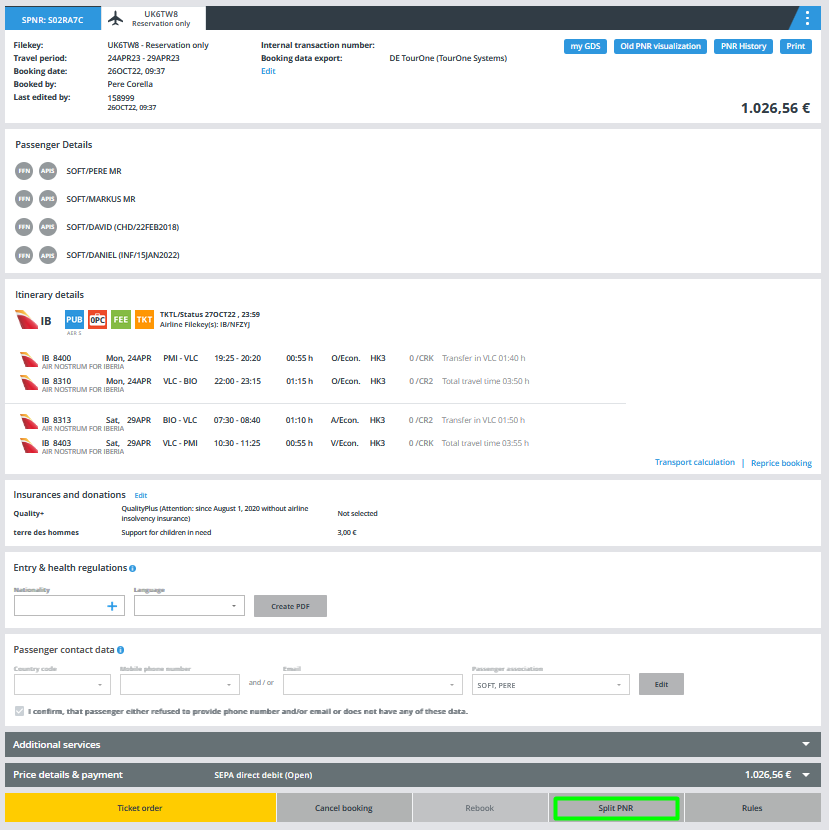
Just open the booking under "My Bookings" and click on the "Split PNR" button:
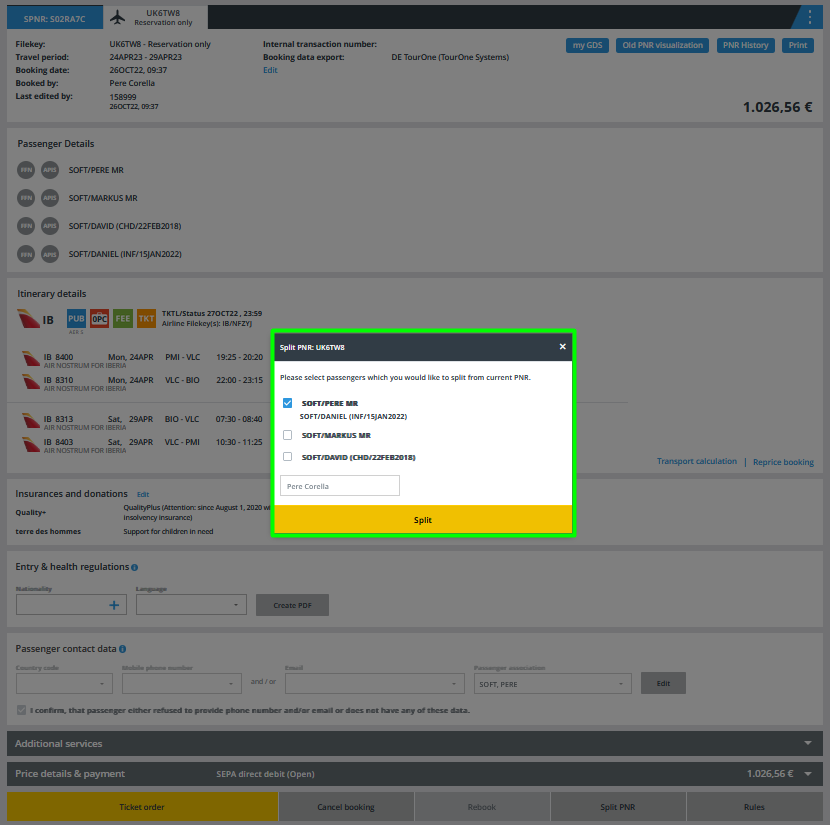
Select the passengers to be splitted in a new associated PNR in the pop-up window:
After the split, the parent PNR and the associated PNR are displayed in different tabs related to the same SPNR:
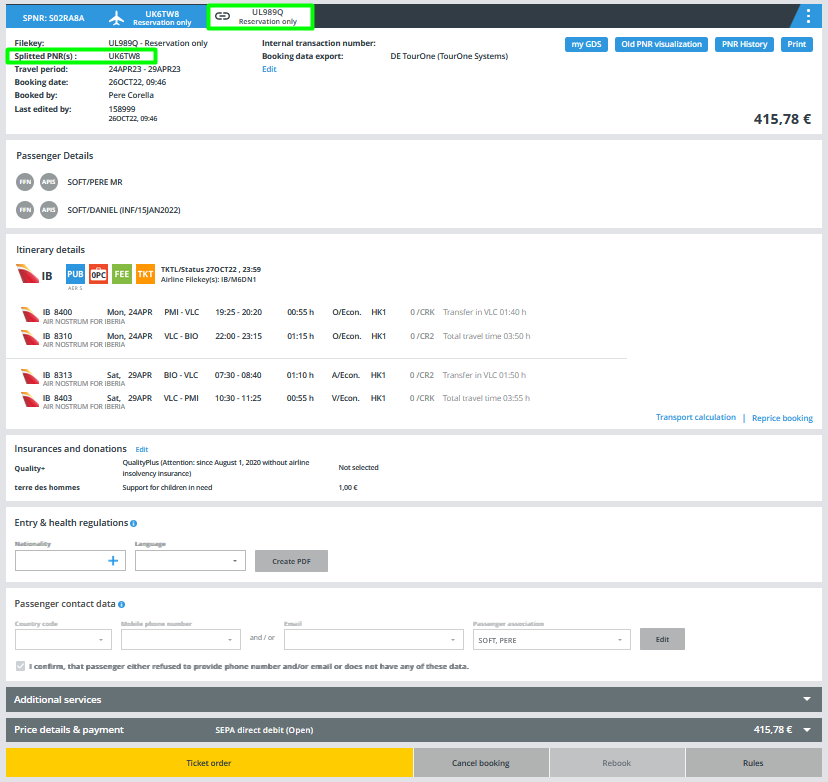
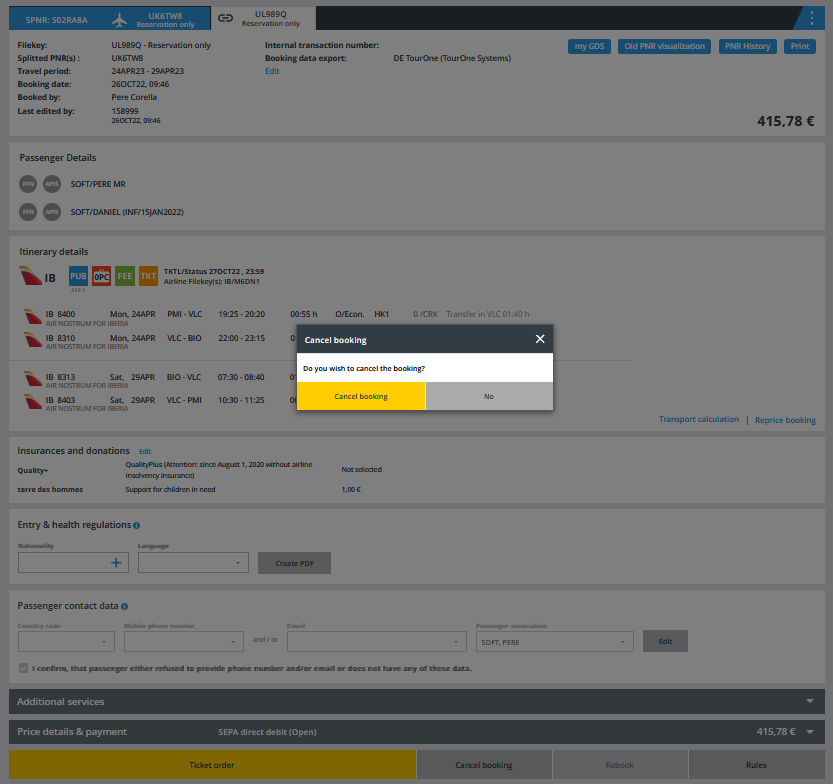
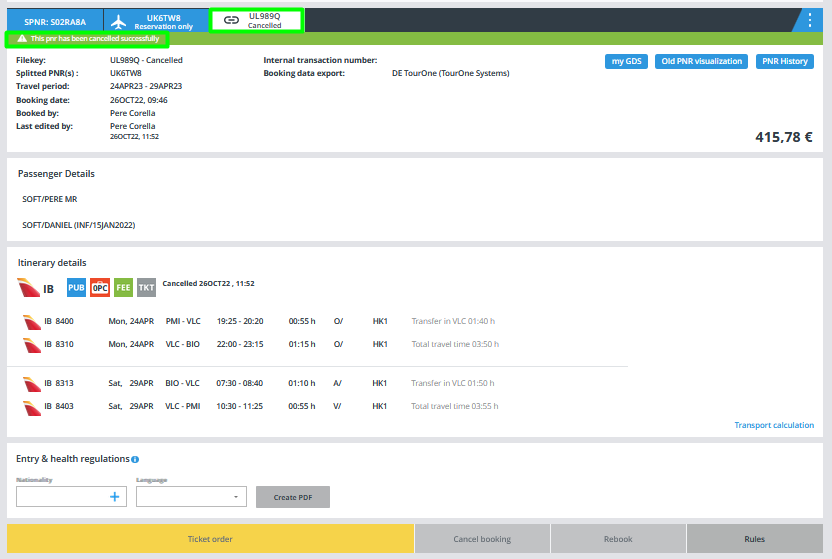
Now each splitted PNR can be managed independently in Cockpit. For example, you can cancel the associated PNR:
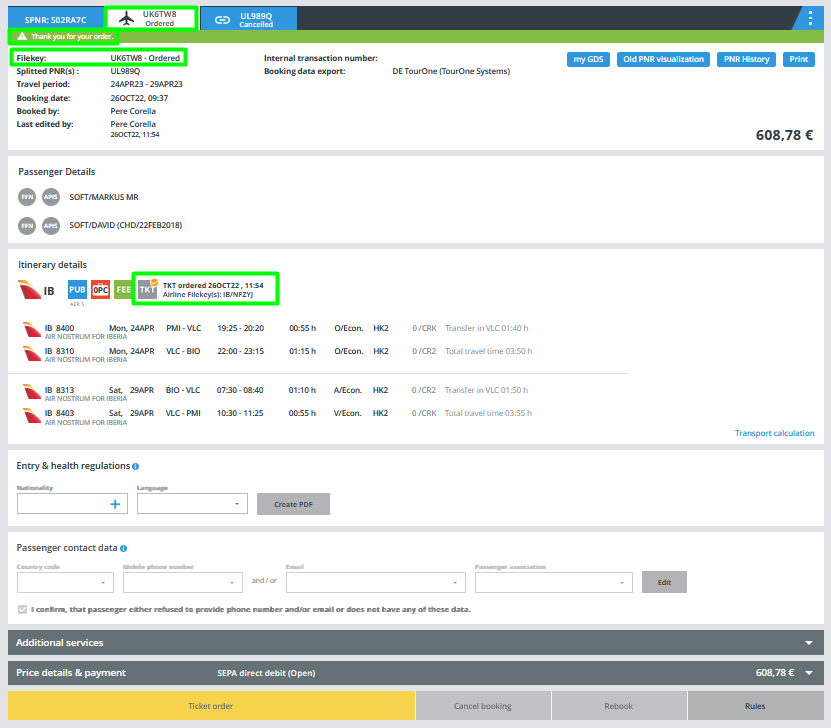
and order tickets for the parent PNR: