
Seats & Extras after ticketing
General
For each purchase a new shopping cart will be opened and a separate invoice will be created.
Seats and extras can be combined into one purchase or can be in separate ones if they are done at different times.
How to proceed
Open your ticketed booking under "My Bookings" and expand the “Additional services” section
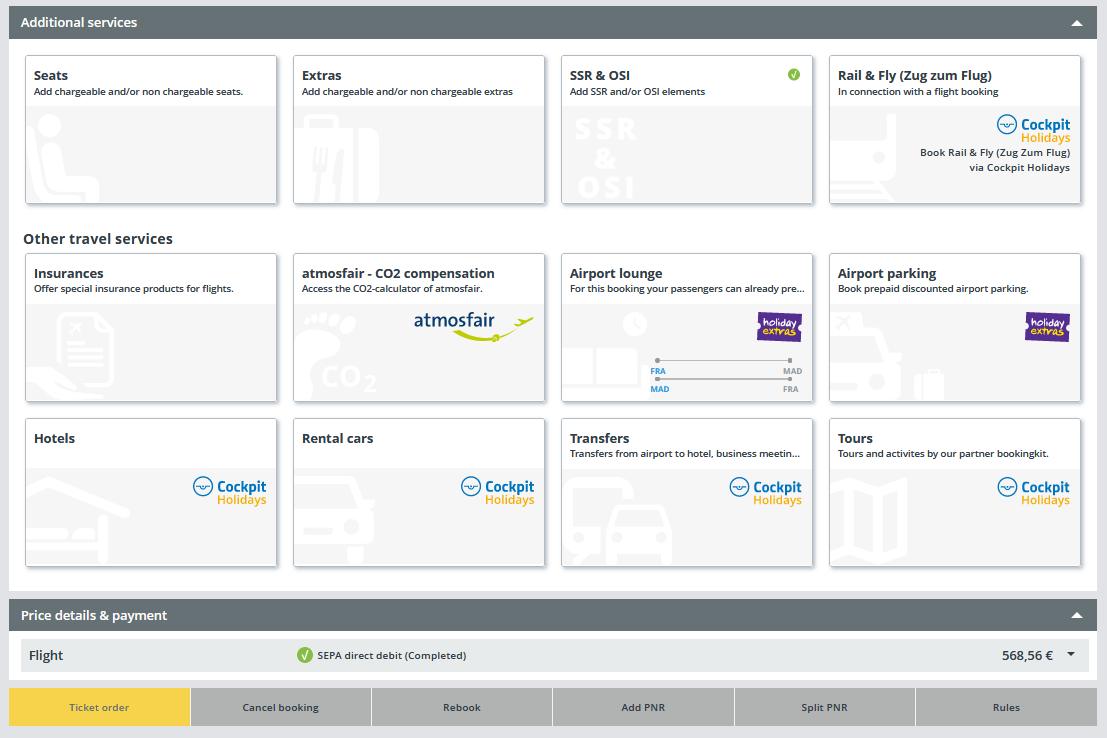
By clicking e.g. on the “seats” tile the seat map will be opened and you can select the seats:
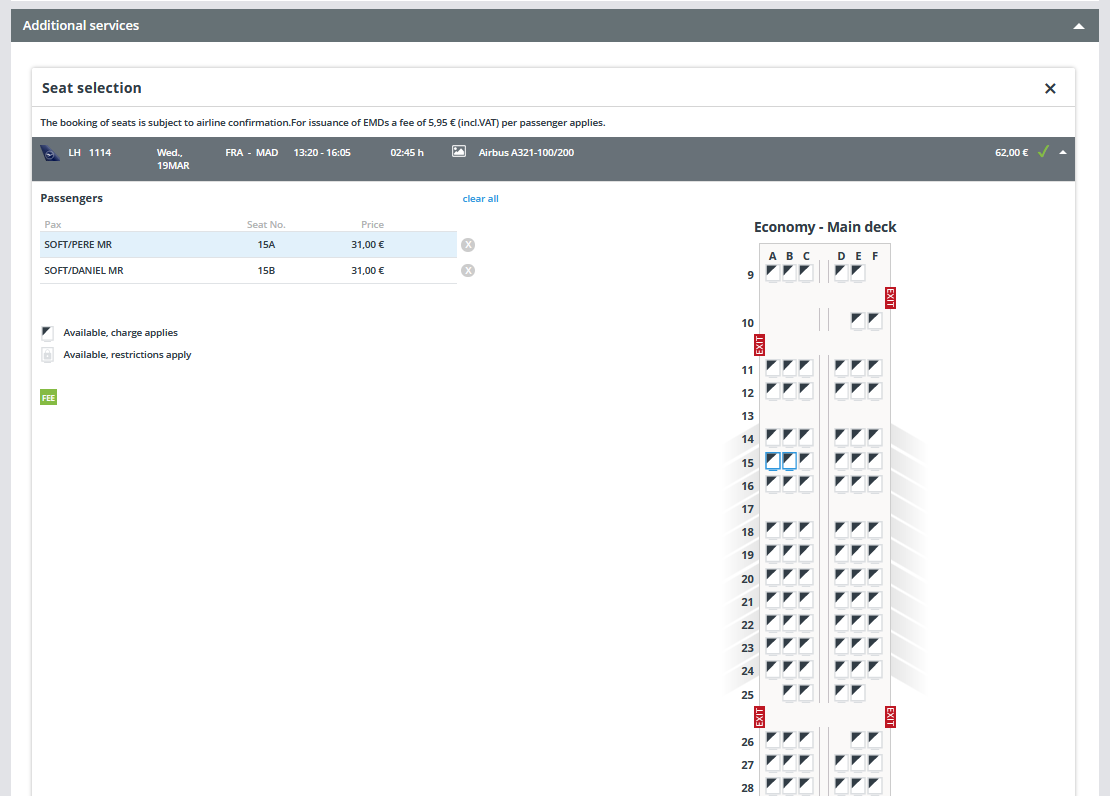
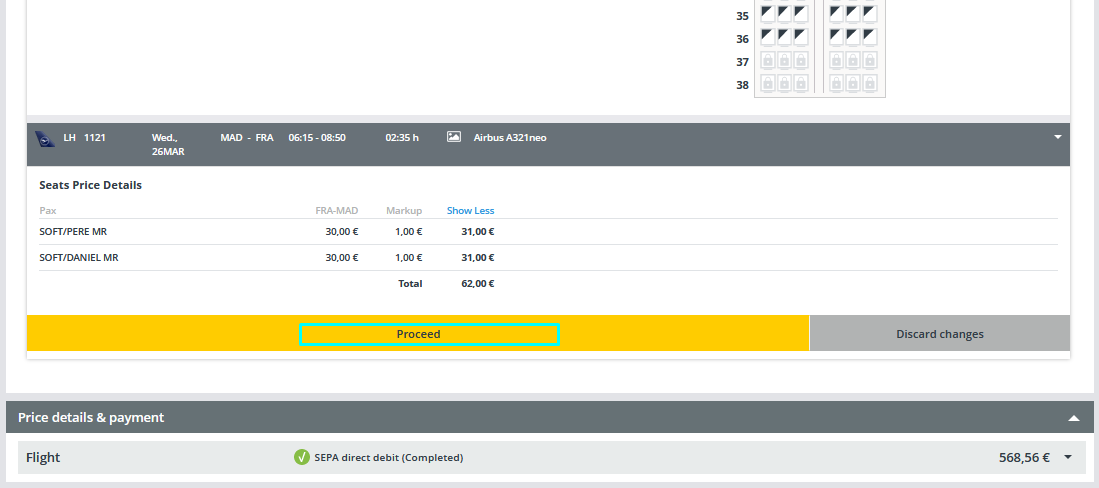
By clicking on “Proceed” an informative pop-up will be displayed and a new shopping cart with the corresponding prices for the selected seats will be opened:
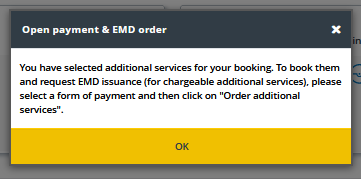
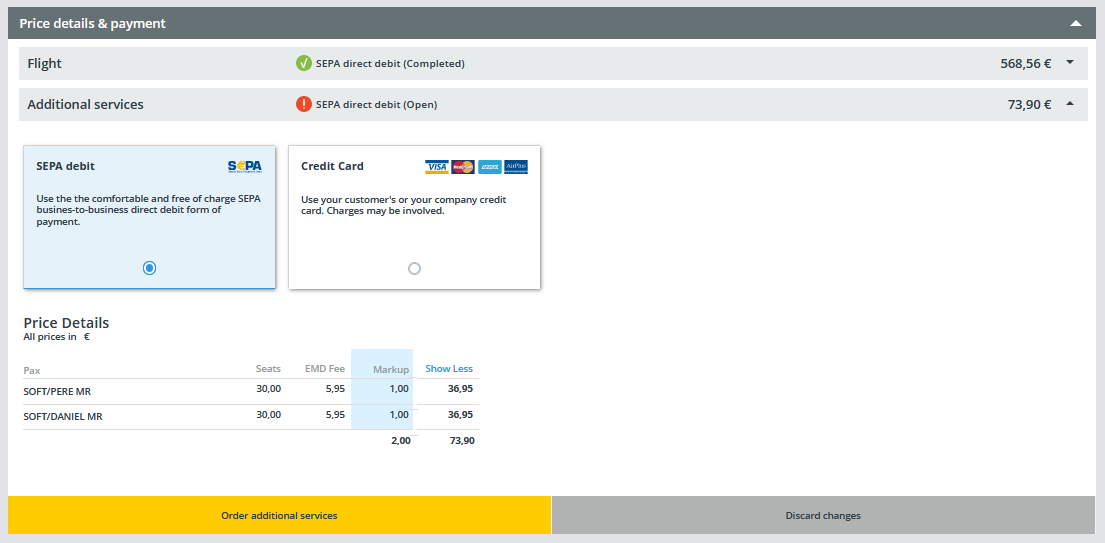
Now you can complete the booking of your additional services by clicking on “Order additional services” or you can choose to “Discard changes”.