This is how you turn on English subtitles in Vimeo
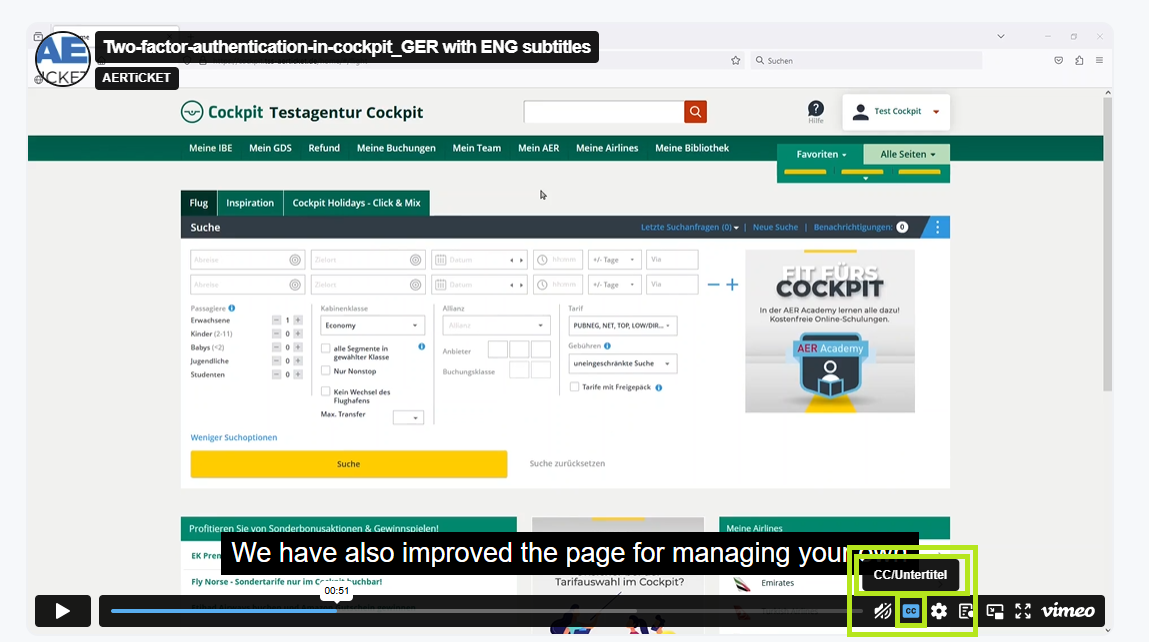
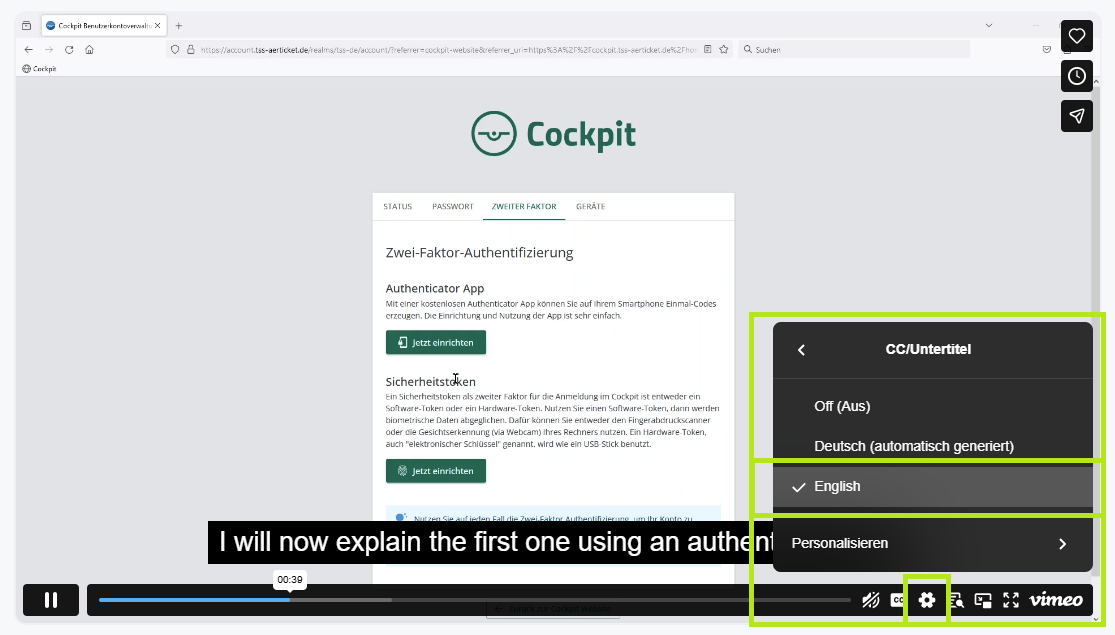
Please note: You need to actively turn on the subtitles yourself. Here are the steps
- Open a video
- Go to the menu bar on the right below the video
- Click on the button "CC" next to the volume control
- Go to the settings wheel and choose "English"
- That's it - you should be able to see subtitles now